EasyManua.ls Logo

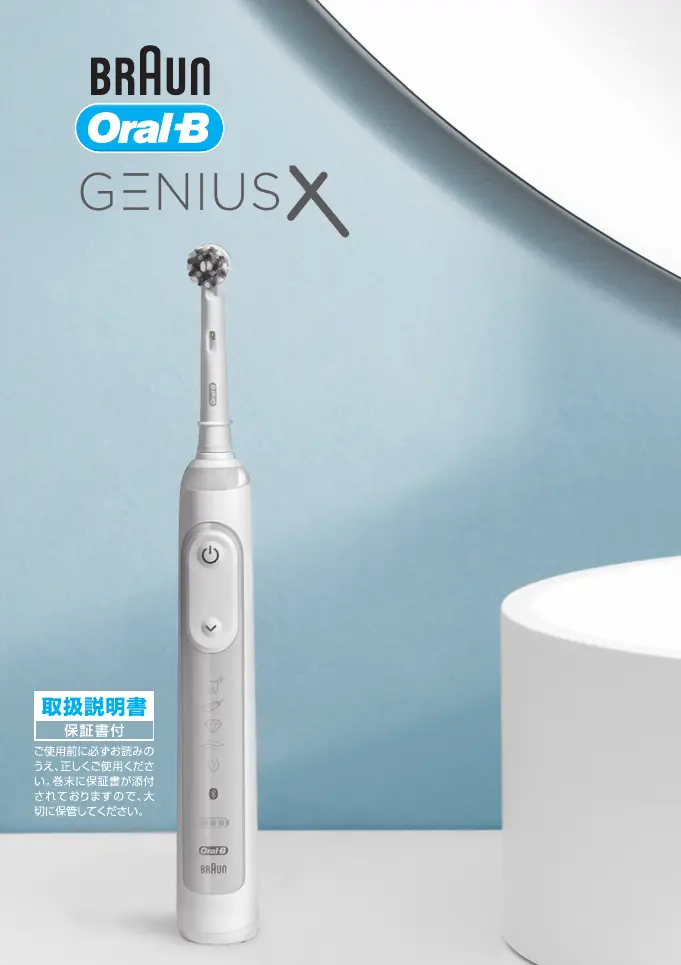
Braun Oral-B GENIUS X - User Manual

Braun Oral-B GENIUS X
28 pages
Print Icon
To Next Page IconTo Next Page
Loading...
91947081_D706_JP.indd 191947081_D706_JP.indd 1 25.03.19 08:2125.03.19 08:21
Stapled booklet, 120 x 170 mm, 28 pages, 2/2c = black + PMS300u
Business Use - P&G AUTHORIZED POA-00119324 Rev 001 Effective Date 2019-04-03 Printed 2019-05-23 Page 1 of 28

Questions and Answers

  • J
    Jessica BrownJul 28, 2025
    What to do if my Braun Oral-B GENIUS X Electric Toothbrush handle does not charge?
    • A
      Amanda DavisJul 28, 2025
      If your Braun Electric Toothbrush handle isn't charging, consider these possibilities: 1. The battery might be at a very low charge level. In this case, the charging lights might not flash immediately; it can take up to 30 minutes. 2. The ambient temperature for charging might be out of the valid range (32°F to 140°F / 0°C to 60°C). The recommended ambient temperature for charging is 41°F / 5°C to 95°F / 35°C.
  • S
    Samantha PrestonAug 1, 2025
    How to reset my Braun Oral-B GENIUS X to factory settings?
    • M
      Megan HernandezAug 1, 2025
      To reset your Braun Electric Toothbrush to factory settings (to restore the original App functionality), press and hold the on/off button for 10 seconds until all indicator lights double blink simultaneously.
  • A
    Andrew PayneAug 6, 2025
    Why does my Braun Oral-B GENIUS X make short stuttering sounds or flash after 2 minutes?
    • M
      mrosarioAug 6, 2025
      If your Braun Electric Toothbrush makes short stuttering sounds, flashes, or the timer doesn't operate, the timer settings might have been modified or deactivated via the App. Use the App to change the timer settings or perform a factory reset.
  • N
    nicholevaughanAug 12, 2025
    How to make my Braun Electric Toothbrush operate during first use?
    • J
      Jason DrakeAug 12, 2025
      If your Braun Electric Toothbrush handle isn't operating during its first use, the battery might have a very low charge level, and no lights illuminate. Charge it for at least 30 minutes.
  • M
    Mr. Danny KingAug 17, 2025
    Why is the charging performance of my Braun Oral-B GENIUS X Electric Toothbrush charging travel case not as expected?
    • R
      robinfloresAug 17, 2025
      If the charging performance of USB-connected devices via your charging travel case isn't as expected, your USB-connected device may require its manufacturer's power source to fulfill its charging performance. Use the original manufacturer power source of the USB-connected device to achieve the desired charging performance.
  • E
    Emily EdwardsNov 20, 2025
    Why is my Braun Oral-B GENIUS X Electric Toothbrush not connecting to the Oral-B™ App?
    • J
      Jennifer LucasNov 20, 2025
      There could be several reasons why your Braun Electric Toothbrush isn't connecting to the Oral-B™ App: * The Oral-B™ App might be closed; launch it. * Bluetooth might not be activated on your smartphone; activate it in your smartphone's settings. * Bluetooth might be deactivated on the toothbrush handle; activate it by pressing the on/off and mode buttons for 2 seconds until the Bluetooth indicator turns on. * The Bluetooth connection to your smartphone might have been lost; pair the handle and smartphone again via the App settings, and keep your smartphone nearby. * Your smartphone might not support Bluetooth 4.0 (or higher)/Bluetooth Smart; check the App Store or Google Play for compatible smartphones. * The handle might be on the plugged-in charger; Bluetooth is deactivated...

Summary

Important Information

Warnings

Critical safety warnings and precautions for appliance use.

Charging and Operating

Charging Your Toothbrush

Instructions on how to charge the toothbrush.

Using Your Toothbrush

Guidance on operating the toothbrush.

Toothbrush Features

Timer and Pressure Sensor

Details on the built-in timer and pressure sensor.

Brushing Modes

Description of different brushing modes available.

Brush Heads and Smartphone Connection

Information and Warranty Details

Trouble Shooting

App Troubleshooting

Solutions for common issues with the Oral-B app.

Toothbrush and Accessory Troubleshooting

Handle Operation Issues

Troubleshooting common problems with the toothbrush handle.

Braun Oral-B GENIUS X Specifications

General IconGeneral
TypeElectric Toothbrush
ModelGENIUS X
Power SourceRechargeable Battery
Smart Pressure SensorYes
Bluetooth ConnectivityYes
Battery LifeUp to 2 weeks
Modes6
Charging Time12 hours
Travel CaseYes
Cleaning ModesDaily Clean, Gum Care, Sensitive, Whitening, Pro-Clean, Tongue Cleaning
Brush Movements per MinuteUp to 48, 000
Charging TypeInductive charging
Compatible Brush HeadsAll Oral-B brush heads
Waterproof RatingIPX7
Warranty2 years
FeaturesPosition Detection
Timer2-minute timer with 30-second intervals
Smart FeaturesPosition Detection
Cleaning Technology3D Cleaning Action (Oscillation, Rotation, Pulsation)

Related product manuals