EasyManua.ls Logo

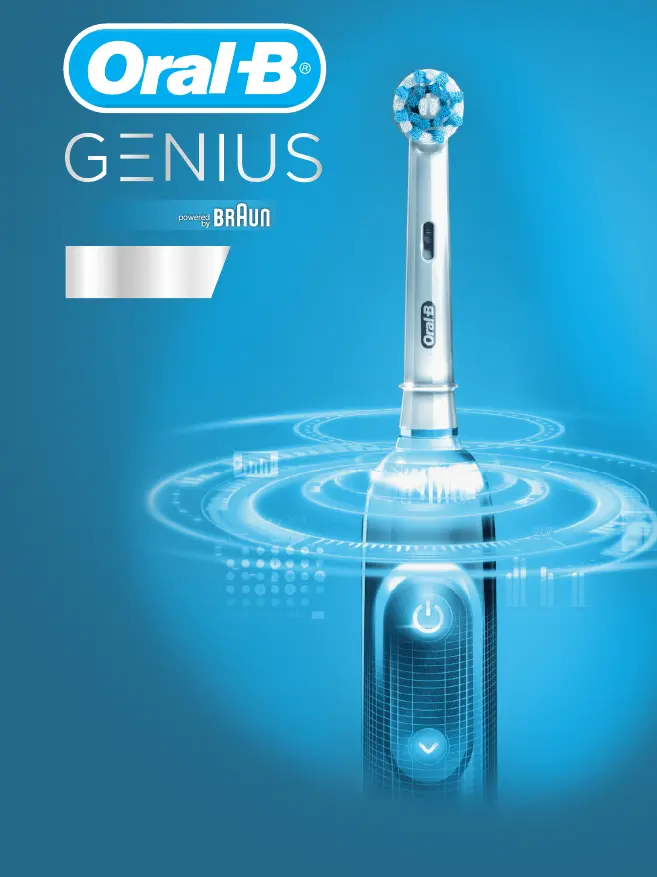
Braun Oral-B Genius - User Manual

Braun Oral-B Genius
24 pages
Print Icon
To Next Page IconTo Next Page
Loading...
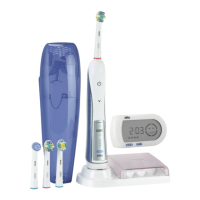
Charger Type 3757
Handle Type 3765
Travel Case Type 3760
Smart Plug Type 492-5214
SMART
91864651_D701_D700_KR_ASEAN_V3_S1.indd 191864651_D701_D700_KR_ASEAN_V3_S1.indd 1 30.05.18 08:3230.05.18 08:32
Stapled booklet, 120 x 155 mm, xx pages (incl. 8 pages cover), 2/2c = black + PMS300u
Business Use - P&G AUTHORIZED POA-00048699 Rev 001 Effective Date 2018-06-05 Printed 2018-07-27 Page 1 of 28

Other manuals for Braun Oral-B Genius

Questions and Answers

  • M
    Mrs. Michelle FisherJul 27, 2025
    Why is my Braun Electric Toothbrush handle not charging?
    • A
      Aaron MoralesJul 28, 2025
      If your Braun Electric Toothbrush handle isn't charging, it could be due to a very low battery level. In this case, the charging lights might not flash immediately; allow up to 30 minutes. Also, ensure the ambient temperature is within the recommended range of 5°C to 35°C, as charging outside the range of 0°C to 60°C is not valid.
  • N
    Nicole HallAug 2, 2025
    Why does my Braun Electric Toothbrush make stuttering sounds or flashing light every 30 seconds?
    • B
      Benjamin PaulAug 2, 2025
      If your Braun Electric Toothbrush is making short, stuttering sounds or flashing a light every 30 seconds or after 2 minutes, it's likely that either the «Professional timer» or «2-Minute timer» is activated. Also, the timer may have been modified or deactivated via the app.
  • H
    heatherjonesAug 14, 2025
    What to do if charging performance of USB-connected devices via Braun Oral-B Genius charging travel case are not as expected?
    • H
      heatherlewisAug 14, 2025
      If the charging performance of USB-connected devices via your Braun Electric Toothbrush's charging travel case isn't as expected, it might be because your USB-connected device requires its original manufacturer's power source to charge effectively. To achieve the desired charging performance, use the original manufacturer power source for your USB-connected device.
  • A
    Amanda MacdonaldAug 20, 2025
    What to do if Braun Electric Toothbrush handle is not operating during first use?
    • L
      Lori MorrisonAug 21, 2025
      If your Braun Electric Toothbrush handle isn't operating during its first use and no lights illuminate, it's likely that the battery has a very low charge level. Charge it for at least 30 minutes.
  • A
    Amanda LambNov 7, 2025
    How to fix Braun Oral-B Genius Electric Toothbrush when handle does not operate with Oral-B App?
    • T
      Teresa LongNov 7, 2025
      If your Braun Electric Toothbrush handle isn't operating properly with the Oral-BTM App, there might be a few reasons. First, make sure the Oral-BTM App is launched and that Bluetooth is activated on your smartphone via its user manual. On the toothbrush handle, activate Bluetooth by pressing the on/off and mode buttons simultaneously for 2 seconds until the Bluetooth indicator turns on. If the connection was lost, pair the handle and smartphone again through the app settings, keeping your smartphone nearby. Note that your smartphone must support Bluetooth 4.0 (or higher)/ Bluetooth Smart to pair with the handle; check the App Store(SM) or Google PlayTM for compatible smartphones. Bluetooth is deactivated while the handle is on the plugged-in charger, so remove it. Lastly, ensure you have ...

Summary

Charging and Operating

Using Your Toothbrush

Brushing Technique

Learn the correct technique for brushing teeth, including guidance on brushing surfaces and gum bleeding.

Pressure Sensor Alerts

Learn how the pressure sensor alerts you to excessive force, stopping motor rotation.

Brush Head Overview

Brushing Modes

Brushing Modes Description

Explains different brushing modes like Daily Clean, Pro Clean, Sensitive, 3D White, Gum Care, and Tongue Clean.

Smartphone Connectivity

Smartphone Pairing Guide

Guide to pairing your Oral-B toothbrush with your smartphone via Bluetooth for app functionality.

Cleaning Recommendations

Battery Removal

Product Guarantee

Warranty Terms and Conditions

Details on the 1-year limited guarantee, coverage, exclusions, and voiding conditions.

Warranty on Brush Heads

Troubleshooting Guide

App Connectivity Issues

Troubleshooting steps for when the toothbrush handle does not operate properly with the Oral-B App.

Braun Oral-B Genius Specifications

General IconGeneral
ModelGenius
Smart Pressure SensorYes
Bluetooth ConnectivityYes
Battery TypeLithium-ion
WaterproofYes
Power SourceBattery
Charging TimeApproximately 12 hours
ModesDaily Clean, Gum Care, Sensitive, Whitening
Travel CaseYes
Timer2-minute timer
Smart CoachingYes
Battery LifeUp to 12 days (depending on model and usage)

Related product manuals