EasyManua.ls Logo

Braun Oral-B iO 3757 - User Manual

Braun Oral-B iO 3757
25 pages
Print Icon
To Next Page IconTo Next Page
Loading...
20110573_iO6_ANZ_UI_75x155.indd 120110573_iO6_ANZ_UI_75x155.indd 1 30.05.23 13:0030.05.23 13:00
Stapled booklet, 75 x 155 mm, 26 pages (incl. 6
pages cover), Cover 4c, Inhalt = black + PMS 288 C

Other manuals for Braun Oral-B iO 3757

Questions and Answers

  • N
    Nicholas SmithAug 14, 2025
    What to do if my Braun Oral-B iO 3757 handle does not charge?
    • C
      cynthia37Aug 14, 2025
      If your Braun Electric Toothbrush handle isn't charging, here's what to do: 1. If the battery is completely empty, let it charge for at least 30 minutes, it may take 10-15 minutes until the display turns on. 2. Make sure the ambient temperature is between 5°C and 35°C for charging. 3. Check that the charger is correctly plugged into a working outlet.
  • P
    Pamela WilsonAug 17, 2025
    How to fix rattling or loud noise from Braun Oral-B iO 3757?
    • D
      Dustin FullerAug 18, 2025
      If your Braun Electric Toothbrush is making rattling or loud noises when brushing or turning on, check these things: * Make sure the brush head is properly attached to the handle, noting that a small gap should remain. * Consider replacing the brush head, as it may be worn out.
  • O
    osmallAug 20, 2025
    Why is my Braun Electric Toothbrush handle not connecting to the Oral-B App?
    • A
      April KelleyAug 20, 2025
      If your Braun Electric Toothbrush handle isn't working with the Oral-B App, here are a few things to check: * Make sure the Oral-B App is open. * Ensure Bluetooth® is enabled on your smartphone. * Enable Bluetooth® on the handle via display Settings. * Pair the handle and smartphone again through the App settings, keeping your smartphone nearby. * Verify your smartphone supports Bluetooth® 4.2 (or higher). * Download the latest version of the Oral-B App.
  • A
    Amy LeeAug 25, 2025
    Why is my Braun Electric Toothbrush not working on first use?
    • B
      Brian ReedAug 25, 2025
      If your Braun Electric Toothbrush handle isn't working during its first use: * Charge it for at least 30 minutes, as the battery may have a very low charge. * Ensure you are operating it within standard temperatures (above 0°C and below 40°C).
  • T
    Tiffany MarksAug 27, 2025
    What to do if my Braun Oral-B iO 3757 Electric Toothbrush timer isn't working properly?
    • S
      Shelia SnowAug 27, 2025
      If your Braun Electric Toothbrush makes short stuttering sounds after 2 minutes or the timer isn't working, the timer settings may have been modified or deactivated via the app. Use the app to change timer settings or perform a factory reset.
  • M
    Mariah MathewsSep 3, 2025
    Why is my Braun Electric Toothbrush handle not operating during first use?
    • G
      garrettdavisSep 3, 2025
      If your Braun Electric Toothbrush handle isn't working during the first use, it could be due to the following reasons: * The battery might be very low. Charge it for at least 30 minutes. * You might be operating it outside the standard temperature range. Make sure to use it within the range of > 0°C and < 40°C.
  • B
    brenda89Sep 6, 2025
    What to do if Braun Electric Toothbrush timer is not working?
    • B
      Bryan WoodSep 6, 2025
      If your Braun Electric Toothbrush makes short stuttering sounds after 2 minutes or the timer isn't working, it might be because the timer settings have been changed or deactivated in the app. Use the app to adjust the timer settings or reset the toothbrush to its factory settings.
  • A
    allison90Sep 10, 2025
    How to fix a Braun Oral-B iO 3757 Electric Toothbrush that makes rattling noises?
    • P
      Paula JonesSep 10, 2025
      If you hear rattling or a loud noise when using your Braun Electric Toothbrush: * Check that the brush head is correctly placed on the handle, noting that a small gap should remain. * Consider replacing the brush head, as it may be worn.
  • W
    William JamesDec 1, 2025
    Why is my Braun Oral-B iO 3757 Electric Toothbrush handle not working with the Oral-B App?
    • J
      Jason EspinozaDec 1, 2025
      If your Braun Electric Toothbrush handle isn't operating properly with the Oral-B App, here are a few things to check: * First, make sure the Oral-B App is actually open and running. * Next, ensure that Bluetooth is enabled on your smartphone by checking your smartphone's user manual for instructions. * Also, verify that Bluetooth is enabled on the toothbrush handle itself by going to Settings -> Bluetooth enable on the display. * If the connection was lost, try re-pairing the handle and smartphone through the App settings, keeping your phone nearby during use. * Make sure your smartphone supports Bluetooth 4.2 (or higher)/ Bluetooth Smart. Visit app.oralb.com to check for compatible smartphones and Oral-B App country availability. * Finally, ensure you have the latest version...

Summary

Product Overview and Features

Key Components and Controls

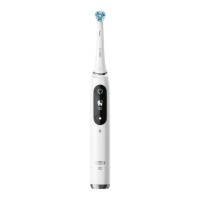
Identifies main parts like brush head, handle, buttons, and display.

Brushing Modes and Interactive Display

Details cleaning modes and interactive display functions.

Included Accessories and Attachments

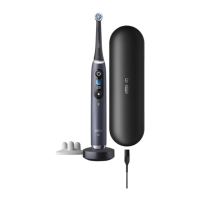
Lists available accessories such as travel cases and brush head holders.

Initial Setup and Operation

Specifications and First Use Guide

Covers noise level, initial setup, and basic operation of the toothbrush.

Charging Procedure and Battery Status

Explains how to charge, battery indicators, and low power alerts.

Using Your Toothbrush

Brushing Technique and Timer

Guides on effective brushing, quadrant timing, and mode recommendations.

Smart Pressure Sensor Functionality

Details the pressure sensor's role, indicators, and feedback for optimal brushing.

Pressure Sensor and Brushing Modes

Pressure Sensor Indicators and Adjustments

Explains color codes, sensor feedback, and movement adjustments based on pressure.

Detailed Brushing Mode Descriptions

Lists and describes all cleaning modes available for the toothbrush.

Display Functions and Brush Heads

Interactive Display Navigation and Information

Guides on using display menus, activating features, and understanding information shown.

Brush Head Types and Replacement Guidance

Details available brush head types and indicator bristles for replacement needs.

Smartphone Connectivity and Cleaning

App Pairing and Requirements

Instructions for downloading the app, pairing via Bluetooth, and smartphone compatibility.

Cleaning Guidelines for Toothbrush and Charger

Procedures for cleaning the toothbrush handle, brush head, and charger.

Accessories Guide

Travel Case Usage and Cleaning

Instructions for storing and cleaning the travel case.

Brush Head Holders and Pouches

Details on using brush head stands, holders with caps, and zipper/magnetic pouches.

Environmental and Guarantee Information

Environmental Disposal Notice

Guidance on proper disposal of batteries and electronic waste.

Product Warranty Details and Consumer Rights

Explains warranty duration, consumer rights, and coverage under Australian law.

Warranty Exclusions and Bluetooth Features

Warranty Limitations and Exclusions

Lists specific types of damage and conditions not covered by the product warranty.

Bluetooth Smart Module Information

Details about the Bluetooth module, its reliability, and third-party device warranties.

Repairs and Service Information

Service and Repair Procedures

Guidance on sending the appliance for repair and obtaining replacement parts.

Customer Service Contact Details

Provides contact numbers and addresses for Australian and New Zealand service agents.

Bluetooth Information and Warranty Scope

Bluetooth Radio Module Operation

Explains the Bluetooth module's support, consistency, and adherence to standards.

Warranty Exclusions and Product Coverage

Clarifies warranty coverage, what is excluded, and applies to P&G manufactured products.

Liability and Brush Head Warranty

Damage Exclusions and Limitations

Lists specific types of damage not covered by the warranty.

Limitation of Liability Clause

Disclaims P&G's liability for consequential damages or third-party products.

Risks of Non-Oral-B Brush Heads

Warns about using non-Oral-B brush heads and potential warranty voidance.

Brush Head Usage and Troubleshooting

Non-Oral-B Brush Head Fit and Wear

Discusses potential issues with fit and long-term effects of non-Oral-B brush heads.

Troubleshooting APP Connectivity

Provides solutions for issues with the toothbrush operating with the Oral-B App.

Troubleshooting Guide

APP and Factory Reset Issues

Solutions for APP connection problems and how to perform a factory reset.

Toothbrush Operational Issues

Addresses problems like handle not operating, timer issues, charging, and noises.

Braun Oral-B iO 3757 Specifications

General IconGeneral
TypeElectric Toothbrush
Power SourceRechargeable Battery
Pressure SensorYes
Charging TypeMagnetic Charger
WaterproofYes
Bluetooth ConnectivityYes
ModeliO 3757
Brushing ModesDaily Clean, Whitening, Gum Care, Sensitive
Timer2-Minute Timer
Battery LifeUp to 14 days
Charging Time3 hours
CompatibilityOral-B iO brush heads
DisplayInteractive Display
Included Accessories1 Brush Head, Charging Station
BrandBraun Oral-B

Related product manuals