EasyManua.ls Logo

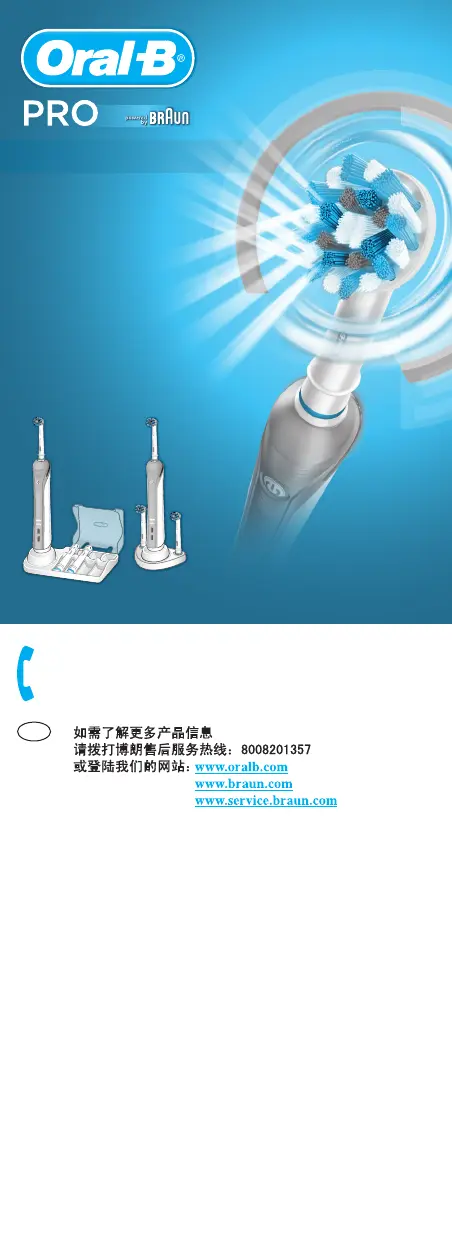
Braun Oral-B PRO 4000 - User Manual

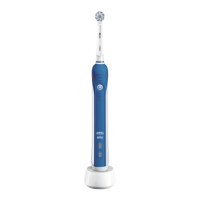
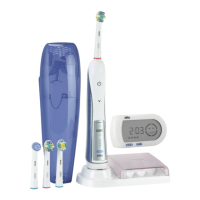
Braun Oral-B PRO 4000
11 pages
Print Icon
To Next Page IconTo Next Page
Loading...
1000-4000
O
r
a
l
-
B
O
r
a
l
-
B
O
r
a
l
-
B
O
r
a
l
-
B
CN
Internet:
www.oralb.com
www.braun.com
www.service.braun.com
Braun GmbH
Frankfurter Straße 145
61476 Kronberg/Germany
Charger Type 3757
Handle Type 3756
97034032/XI-14
China/GB
97034032_D20_China_DNA.indd 1397034032_D20_China_DNA.indd 13 14.11.14 08:2414.11.14 08:24
CSS APPROVED Effective Date 18Nov2014 GMT - Printed 27Jan2015 Page 12 of 12

Questions and Answers

  • B
    baldwinmichaelAug 9, 2025
    Why does my Braun Electric Toothbrush make stuttering sounds and flash a green light?
    • J
      Julie JacobsAug 9, 2025
      The stuttering sounds and flashing green light on your Braun Electric Toothbrush indicate that a timer is activated. If you hear short stutters and see a flashing green light every 30 seconds (or 45 seconds in Deep Clean mode), the "Professional timer" is activated. If the sound occurs only after 2 minutes (3 minutes in Deep Clean mode), the "2-Minute timer" is activated. To change the timer setting, follow the steps under «Personalizing the timer».
  • J
    Joanne NelsonAug 16, 2025
    What to do if my Braun Electric Toothbrush does not operate properly with the Oral-B app?
    • M
      mullinsmichaelAug 16, 2025
      If your Braun Electric Toothbrush isn't working with the Oral-B app, here's what you can do: * Make sure the Oral-B app is turned on. * Activate Bluetooth on your smartphone (check your phone's manual for instructions). * Activate the radio transmission on your toothbrush by pressing the on/off and mode buttons for 3 seconds until the radio transmission display turns on. * Briefly press the mode button to reconnect. Keep your smartphone close to the toothbrush. * Ensure your smartphone supports Bluetooth 4.0 or higher.
  • E
    Emma HamiltonAug 25, 2025
    How to fix a Braun Oral-B PRO 4000 Electric Toothbrush handle that doesn't operate with SmartGuide?
    • D
      david47Aug 25, 2025
      If your Oral-B handle isn't working with the SmartGuide, here are a few things to check: 1. Try synchronizing your toothbrush again, following the steps in the manual under «Synchronizing your Toothbrush». 2. Make sure the radio transmission is activated. You can activate it by pressing the on/off and mode buttons simultaneously for 3 seconds until the radio transmission display turns on. 3. Keep in mind that only Oral-B handles with radio transmission installed can operate with SmartGuide.
  • D
    Douglas BentleyAug 30, 2025
    What to do if gums bleed when using Braun Oral-B PRO 4000?
    • D
      Darren LeAug 31, 2025
      Slight gum bleeding can occur when you first start using a Braun Electric Toothbrush. This bleeding should stop after a few days. If bleeding persists after two weeks, consult your dentist or dental hygienist. You can also try using the Oral-B «Sensitive» brush head or the «Sensitive» mode.

Summary

IMPORTANT

WARNING

Safety precautions and potential hazards when using the electric toothbrush.

Description

Lists and explains the different parts of the Oral-B electric toothbrush.

Connecting and charging

Specifications

Details voltage specifications for the charging unit.

Using your toothbrush

Brushing technique

Step-by-step guide on how to brush teeth effectively with the electric toothbrush.

Brushing modes (depending on model)

Overview of different brushing modes available on the Oral-B toothbrush.

Pressure Sensor

Explanation of the pressure sensor feature to protect teeth and gums.

Professional Timer

Individual brush heads

Cleaning recommendations

Instructions on how to clean the toothbrush, brush heads, and charger.

Environmental Notice

Guarantee

Warranty replacement brush heads

Information regarding the warranty implications of using non-Oral-B replacement brush heads.

Braun Oral-B PRO 4000 Specifications

General IconGeneral
PurposeAdult
3D effectYes
Product colorBlue, White
Timer duration2 min
Toothbrush typeRotating-oscillating toothbrush
Adjustable speed-
Teeth brushing modesDaily care, Gum care, Sensitive, Whitening
Number of teeth brushing modes4
Toothbrush frequency (rotations)8800 movements per minute
Toothbrush frequency (pulsations)40000 movements per minute
Toothbrush frequency (oscillations)- movements per minute
Sonic technologyNo
Battery typeBuilt-in
Power sourceAC/Battery
Included brush headsCrossAction, Sensitive, 3D White
Number of handles included1 pc(s)
Number of brush heads included3 pc(s)
Weight and Dimensions IconWeight and Dimensions
Depth178 mm
Width100 mm
Height253 mm
Weight329 g

Related product manuals