6 7
Insert nger with nail facing up into rubber nger clip.
It is recommended that you use the oximeter on your index
nger.
Make sure you nger is fully inserted into the device and not
pressed hard into a surface.
Press Power/Menu button on the top of the device.
Keep nger steady while taking a measurement.
Rotating the display
If you want to change the display direction, press
and release (approx. 1 second) the Power/Menu button on the
front panel. The display can be viewed in
6 dierent orientations.
-- ---
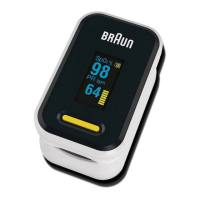
Sp0
2 PR bpm
%
Care and cleaning
Use 70% alcohol to clean the pulse oximeter nger insert area
and your nger, before and after each test.
Parameter set up
Press the Power/Menu button to turn
on the device. With the device turned
on, press and hold the Power/Menu
button to change the display mode.
Press and hold the Power/Menu
button (approx. > 3seconds) until you
enter the parameter setup menu 1 and hold down again
(approx. 3 seconds) to enter screen 2.
1. In menu 1 or 2 press the Power/Menu button to cycle
through the various parameters. You will see the * move to
each parameter as you cycle through. When you are at the
parameter you wish to change, press the Power/Menu
button for 3 seconds to change the parameter setting.
2. If you wish to restore to factory settings, move the * to the
restore selection on menu 1 and hold the Power/Menu
button down for approximately 3 seconds.
3. To exit the menus and return to the measurement screen,
move the * to the exit selection on menu 1 or 2 and hold the
Power/Menu button for 3 seconds, or simply wait 10-12
seconds without interacting with device and it will return to
the measurement screen.
Attention
If using device outdoors or under strong light, please increase
the screen brightness to improve legibility.
Choose a lower screen brightness to conserve battery power.
70
%
English


 To Next Page
 Loading...