EasyManua.ls Logo

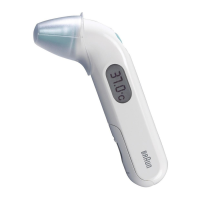
Braun ThermoScan IRT 6500 - User Manual

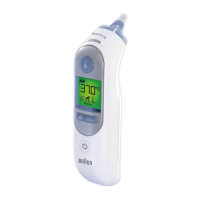
Braun ThermoScan IRT 6500
42 pages
Print Icon
To Next Page IconTo Next Page
Loading...
IRT 6020
IRT 6030
IRT 6500
IRT 6510
ThermoScan
®
Ear thermometer
Thermomètre auriculaire
Termómetro de oído
MD

Questions and Answers

  • D
    danny16Aug 7, 2025
    What to do if Braun Thermometer displays system error?
    • R
      Robert ReyesAug 7, 2025
      If your Braun thermometer shows a continuous flashing self-check display without the ready beep or symbol, wait one minute for the thermometer to turn off automatically, then turn it on again. If that doesn't work, reset the thermometer by removing the batteries and putting them back in.
  • A
    Annette SolisAug 22, 2025
    How to fix Braun Thermometer ambient temperature error?
    • A
      Alex MillerAug 22, 2025
      If your Braun thermometer shows an ambient temperature error, allow the thermometer to remain for 30 minutes in a room where the temperature is between 50 and 104 °F or 10 and 40 °C.

Summary

Product Description, Indications, and Warnings

Warnings and Precautions

Provides critical safety information and precautions for using the thermometer.

Body Temperature and Ear Measurement

Using Your Braun ThermoScan: Initial Steps

Preparation and Lens Filter

Covers removing the thermometer, protective cap, and attaching a new lens filter.

Power On and Readiness

Explains powering on the device and the display indications when ready for measurement.

Using Your Braun ThermoScan: Taking Measurement

Taking the Temperature

Details inserting the probe, pressing the start button, and ExacTemp indicator use.

Temperature Taking Hints

Device Features and Maintenance

Errors and Troubleshooting

Product Specifications

Limited Three Year Warranty

Braun ThermoScan IRT 6500 Specifications

General IconGeneral
TypeEar thermometer
Power Source2 x 1.5V AA batteries
Auto Shut-offYes
Age Precision TechnologyYes
Warranty2 years
Measurement SiteEar
Accuracy±0.2°C (±0.4°F)
Memory9 readings
DisplayLCD
Probe CoversDisposable lens filters
Display Resolution0.1°C
Measurement Range34.0°C to 42.2°C (93.2°F to 108.0°F)

Related product manuals