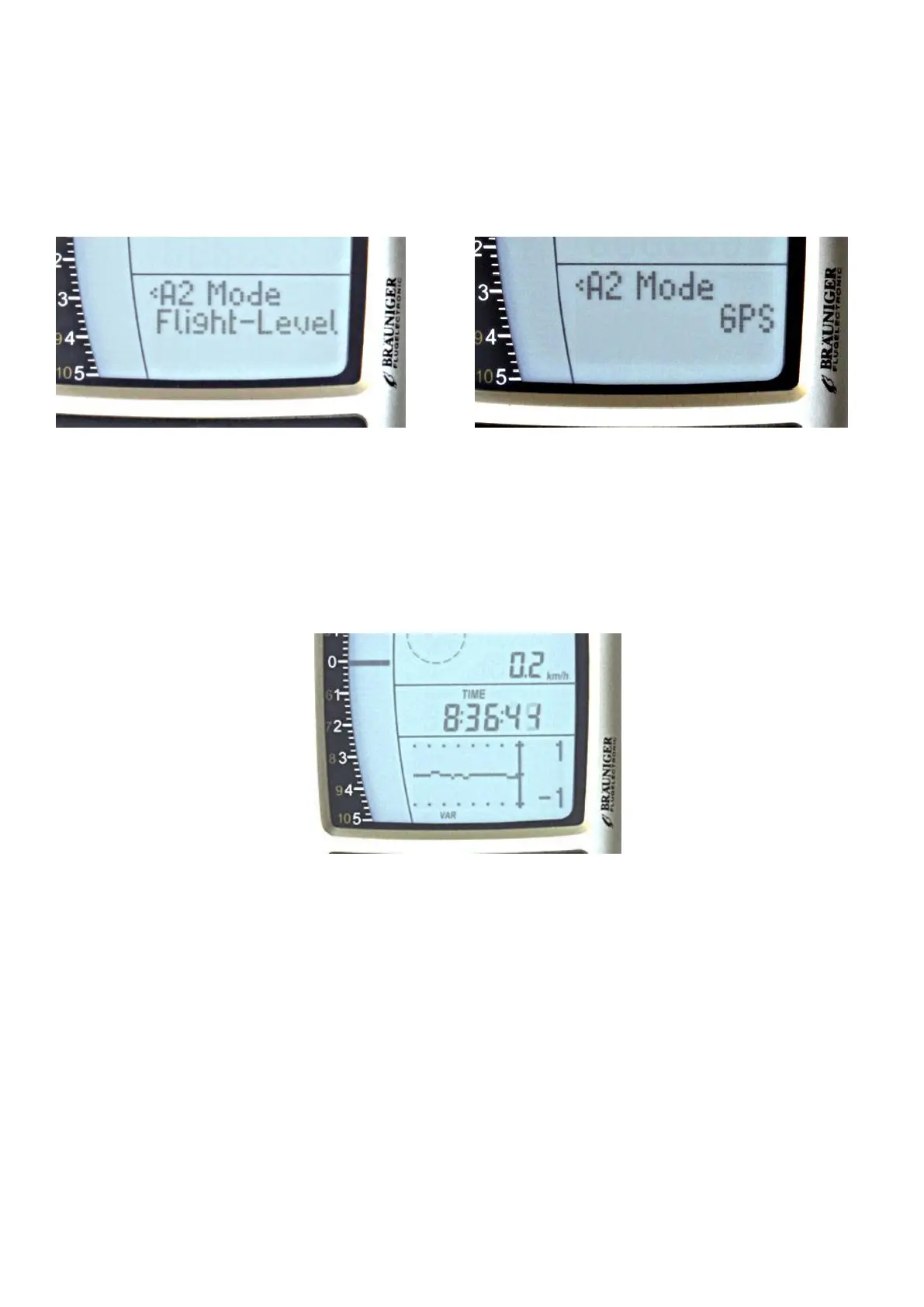
A2 selected: By pressing longer the key you enter the A2 setting mode. Now you can select with the arrow
keys ( 2 ± 5 ) following adjustments:
GPS-height = selecting the actual GPS based height
A1 inverted = here will shown A1 in ft or m,
Flight-Level = flight level in ft basing on1013 hPa, example: Fl 14 means flight level 1400 ft ( shown in 100
ft steps ). Confirm the option you want be pressing the OK button.
Altimeter A3 shows a reference altitude during the flight which can be set to zero all time by pressing key 3.
4 G raphics field 10
This field shows all text advises under the menu-mode. In the regular mode is shown a gradient of altitude or
vario over the last time ( over 40 sec. ).
5. Function of the M ENU settings.
By a longer pressing on key 7 you comes to the menu settings. The following settings are available and can
be selected with the arrow key and entered by pressing O K.
Flight memory
> Flights (memory)
> Scan rate
> Delete all flights
> Recording Auto/Man
Waypoints
>List
>New
>Delete


 To Next Page