ENGLISH | 4
CHARGING YOUR BRAVEN
B
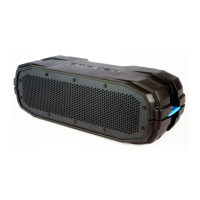
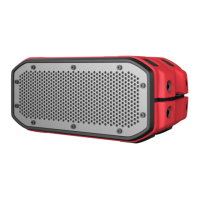
efore using your BRAVEN READY ELITE
™
for the first time, fully charge your speaker. If the speaker is on, a solid
green LED will indicate full charge. If the speaker is off, the battery indication LED will stop blinking when the speaker is fully
charged.
Charge your BRAVEN READY ELITE
™
by inser ting the power adapter into a wall outlet. Nex t, plug the cable into the
charging por t on the back of the READY ELITE
™
.
MONI TORING BAT T ERY L E V EL : Use the Bat ter y Status LED to monitor your speaker’s bat ter y level.
Red = 40% or lower, Yellow = 40% - 70%, Green = 70% - 10 0%.
CH A RGI NG E X T E RN A L DE V IC E S
Y
our BRAVEN can charge most USB enabled smar tphones and tablets using the 5V / 1A full-sized, USB Por t. To
use ex ternal charging:
1. Turn your BRAVEN on.
2. Plug your USB power cable into the USB port on the back of your BRAVEN.
3. Insert the other end of the cable into your device to immediately begin charging.
SPEAKERPHONE
P
ress the mic but ton on your BRAVEN to answer and end calls over the speakerphone.
This feature is disabled if the analog input is being used.
WAT E R P ROO F F E AT U R E S
The BRAVEN READY ELITE
™
is IP68 waterproof certified, designed to withstand rainfall, waterjets, splashing or a
dunk in up to 3ft / 1m of water for up to 30 minutes.
IMPORTANT: Ensure your BRAVEN READY ELITE
™
is prepared for use in a wet environment by removing all cable
connections and tightly sealing the port cover. If the cover is not securely fastened, your BRAVEN may sustain
water damage.



 To Next Page