Original document by manufacturer
© Copyright Bravilor Bonamat B.V.
FAQ Trouble shooting
Aurora
Software protection
The machine is equipped with software protection; the software monitors all the input and output of the machine
throughout the whole process. If situations occur that are not allowed, the software intervenes. As a result, the
machine switches off and an error message appears on the display.
The error message can be reset by turning the machine off and on. If the error message keeps coming back, further
investigation need to be done to solve the problem. To solve the problem, it should be noted that error messages may
have different causes. This means that the cause of the problem can be a defective component. But, it can also be
caused by the location (where the machine is situated).
For possible solutions to these error messages, see the error list below.
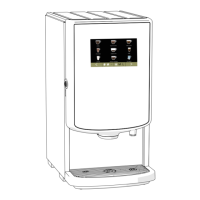
Display with error message
Thermal brewers Aurora
Error 1. Not available
Error 2. Temperature in boiler too high:
• If the temperature sensor (NTC) measures a value that is outside its range (0 Ohm or innity), the
machine is switched off and ’Error 2’ appears in the display.
Error 3. Magnetic valve is open without selection:
• If the inlet valve is activated 3 times without starting a receipt or tapping hot water, there is either a leak
in the water system or the water is boiling. The machine switches off and ’Error 3’ is displayed.
Error 4. Automatic BoilingPoint Program takes too long:
• If the automatic BoilingPoint program takes too long, the machine switches off and ’Error 4’ is displayed.
Error 5. Water selector in wrong position:
• If the magnets on the water rotation disc are not detected by the hall sensor or the time of detection is
too long, the machine switches off and ’Error 5’ is displayed.
Error 6. Magnetic (inlet) valve is opened too long:
• If the oat tank takes too long to ll, whatever the reason, the machine will switch off and ’Error 6’ is
displayed.
Error 7. Not available
Error 8. Communication error between both circuit boards:
• Communication takes place when the machine is starting up and when it is used. communication takes
place through a at cable between the touch screen display and the control board. If communication
fails, Error 8 is displayed.
Error 9. Pump motor rotates too slow or does not rotate at all:
• The pump motor is rotating during machine start−up and during use. If the light sensor detects none or
too little pulses, the machine will switch off and ’Error 9’ is displayed.
Error 10. Not available
Error 11. Not available

 Need help?
 General

 To Next Page