Need help?
Do you have a question about the Bravo 800 and is the answer not in the manual?
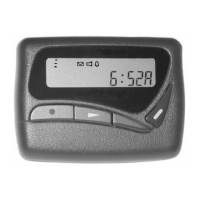
The Bravo 800 pager offers a wide range of useful features including display, memory, and alerts.
Details on the recommended 'AA' alkaline battery and how to check the battery level.
Step-by-step guide for safely installing and removing the pager's battery.
Explanation of the functions assigned to each button on the Bravo 800 pager.
An overview of the main menu display, status icons, and available information.
How to access and navigate the pager's main function menu and its options.
Button functions specific to navigating and managing messages in the Mail Folder.
Button functions for managing messages in the Personal and Notebook Folders.
How the pager alerts upon receiving messages and displays message content.
 General
| POCSAG Protocol | 512/1200/2400 bps |
|---|---|
| Frequency | VHF |
| Display | 12 digit LCD |
| Alerts | Vibrate |
| Battery Life | Up to 600 hours |


 To Next Page