Need help?
Do you have a question about the Breezair SensorTouch and is the answer not in the manual?
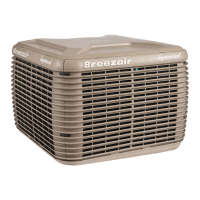
Introduces the quiet, reliable, cool comfort provided by the Breezair Ducted Air Conditioner.
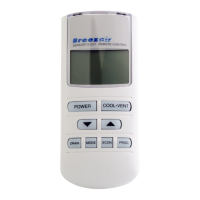
Details the convenience and radio control features of the SENSORTOUCH remote.
Highlights transmission delays and potential effects of sunlight on the control unit.
Installer checklist for room operation, transmission code, and signature.
Explains the POWER, DRAIN, MODE, and ECON buttons for unit control and settings.
Describes the COOL (pump on) and VENT (fan only) selections.
Details how to use buttons to change settings like comfort and fan speeds.
Introduces the PROG button for clock and Auto Timer programming.
How to turn on the unit and select the Automatic mode.
Using arrow buttons to adjust the comfort level in Auto mode.
Using the POWER and MODE buttons for control and mode selection.
How the system automatically adjusts operation based on room temperature.
Details the ten levels of comfort adjustable via arrow buttons.
How to activate the Auto Timer using the MODE button.
Introduction to the steps required to program the Auto Timer.
Step-by-step guide to setting the desired ON and OFF times.
Final programming steps for comfort level and economy mode.
Choosing between COOL and VENT using the MODE button.
How the fan speed remains constant in Manual mode.
Using arrow buttons to increase or decrease cooling/ventilation.
Limits cooling/ventilation and reduces power consumption by up to 20%.
Allows manual tank draining or automatic draining for system cleanliness.
How to set the clock when the control unit is switched off.
Explains the function of DIP switches for system configuration.
Addresses symptoms like no response, auto-off, and blank display.
Provides contact details for service and warranty coverage.
 General
| Brand | Breezair |
|---|---|
| Model | SensorTouch |
| Category | Remote Control |
| Language | English |

 To Next Page