-8-
Locate the Battery Access Panel [9] on your MC-10A
Remote Interface Controller. Push the panel to
access the battery compartment and install the two (2)
AAA batteries included with your control system.
►
MC-10A Installation
Access the controller Configuration Menu by holding
down the Increase Button [3] for 10 seconds.
►
21
22
23
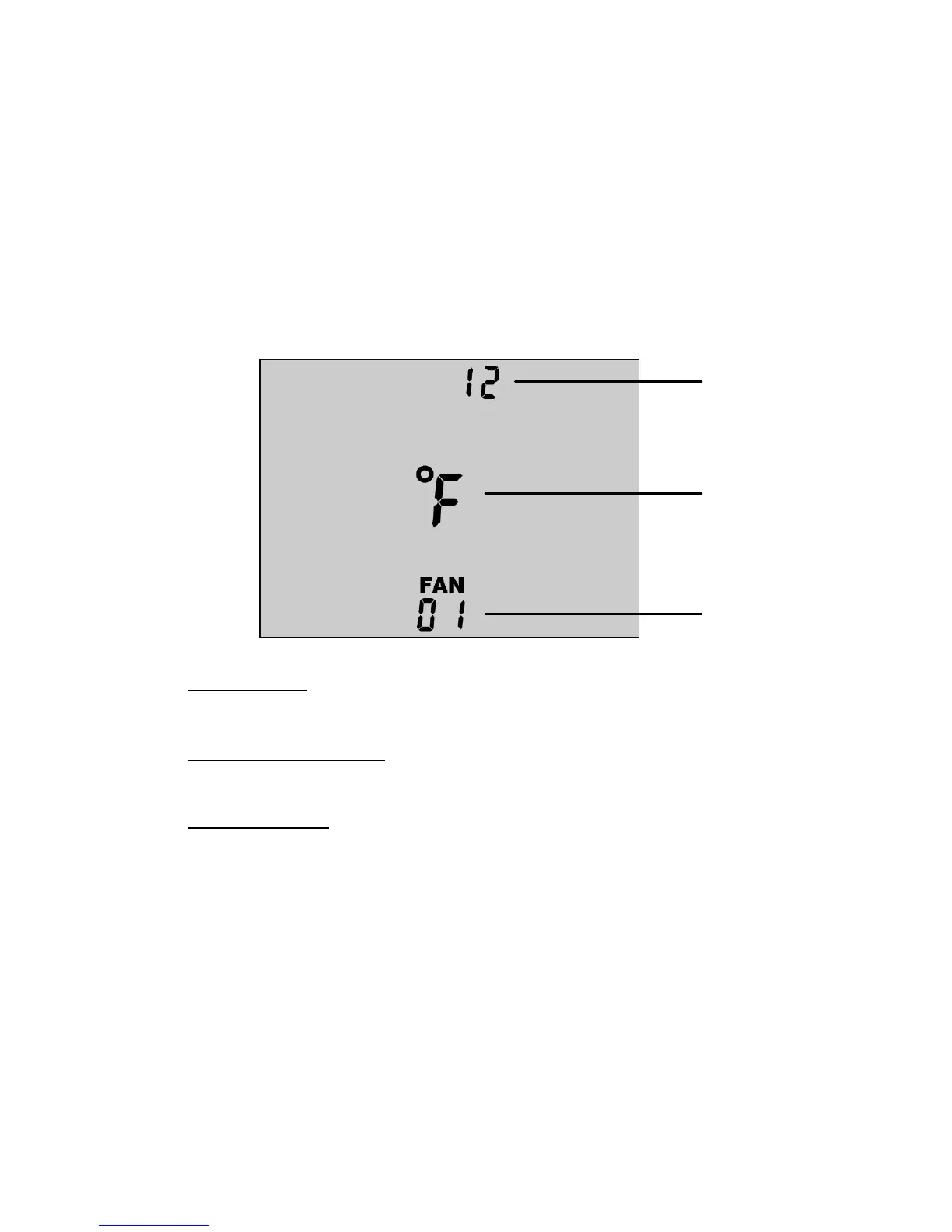
Time Mode
Choose either 12 hour or 24 hour time mode for clock.
21
Temperature Units
Choose either °F or °C for temperature display.
22
Network Size
Select the number of fan controllers installed on the network.
23
While in the Configuration Menu, use the Increase
Button [3] and Decrease Button [4] to make your menu
selections. The parameter to be configured will blink
until your selection is acknowledged. Using the
Temperature/Humidity Control Button [6],
acknowledge your selection and proceed to the next
configuration parameter.
►


 To Next Page