1.
2.
3.
6
SETTING THE TIME
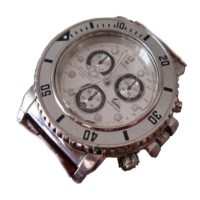
Unscrew the crown 훿 and pull it out to position (2), the continuous second hand
➂ will stop at "0".
Tu rn the crown to adjust the minute hand ➀, hour hand ➁ and 24 hour hand ➃ to
the correct time.
NOTE: The 24 hour hand ➃ is integral with the hour/minute hands ➀/➁
Return the crown 훿 to its original position (0) (a confirmation beep will be heard).
The small second hand will start to move.
If the watch is not used for a long period of time, in order to save power, it is
advisable to stop the watch by placing the crown 훿 in position ➁.
C
1.
2.
3.
SETTING THE DATE
Pull out the crown 훿 to position (1)
Rotate the crown anticlockwise until the required date appears.
Do not set the date between 9.00 p.m. and 1.00 a.m. as the automatic date
change mechanism may not work correctly.
Push the crown 훿 back to position (0)
D


 To Next Page