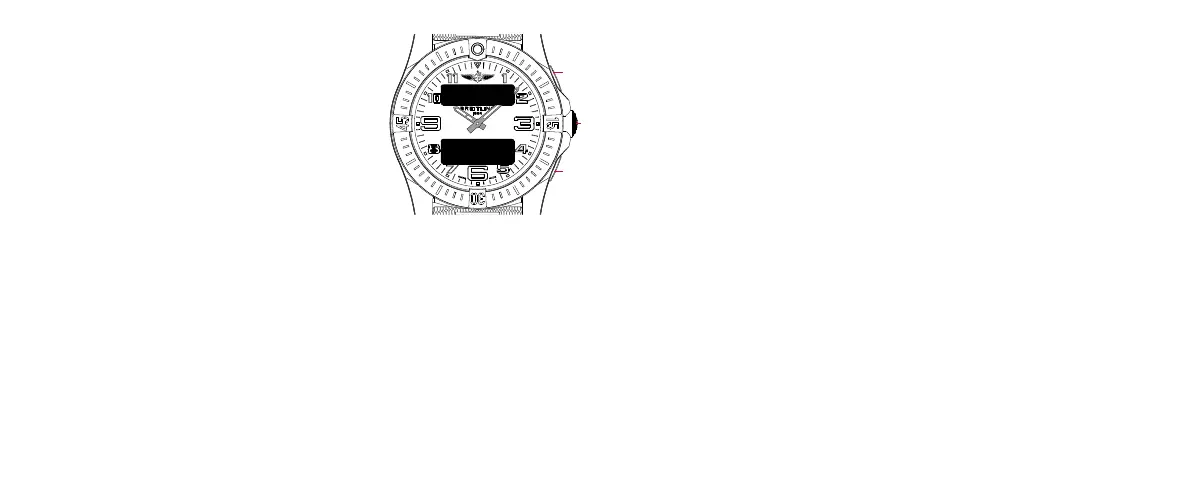
CHR SP
MM:SS:ZZ
38 39
USING THE 1/100
TH
CHRONOGRAPH
CONFIGURATION MODE
Browse through the dierent functions until the upper
display shows [CHR SP].
The split-time functions enable you to mark intermediate
times while your chronograph continues running. Each
split measurement, therefore, counts back to when your
chronograph first started.
Usage
Standard
• Press A to start.
• Press A to stop. The lower display will show the time [MM:SS:ZZ].
• Press C to restart.
Split-time
• Press A to start.
• Press C to mark a split time.
• The upper display will show [CHR 1], which corresponds to your first
split-time measurement.
• The lower display will flash the corresponding split time [MM:SS:ZZ]
4 times and then go back to the standard display of the chronograph,
which continued running in the background.
• Press A to stop. The lower display will show the final time [MM:SS:ZZ].
• Press B to restart.
Nota bene
M for minutes / S for seconds / Z for 100
th
of seconds







 To Next Page