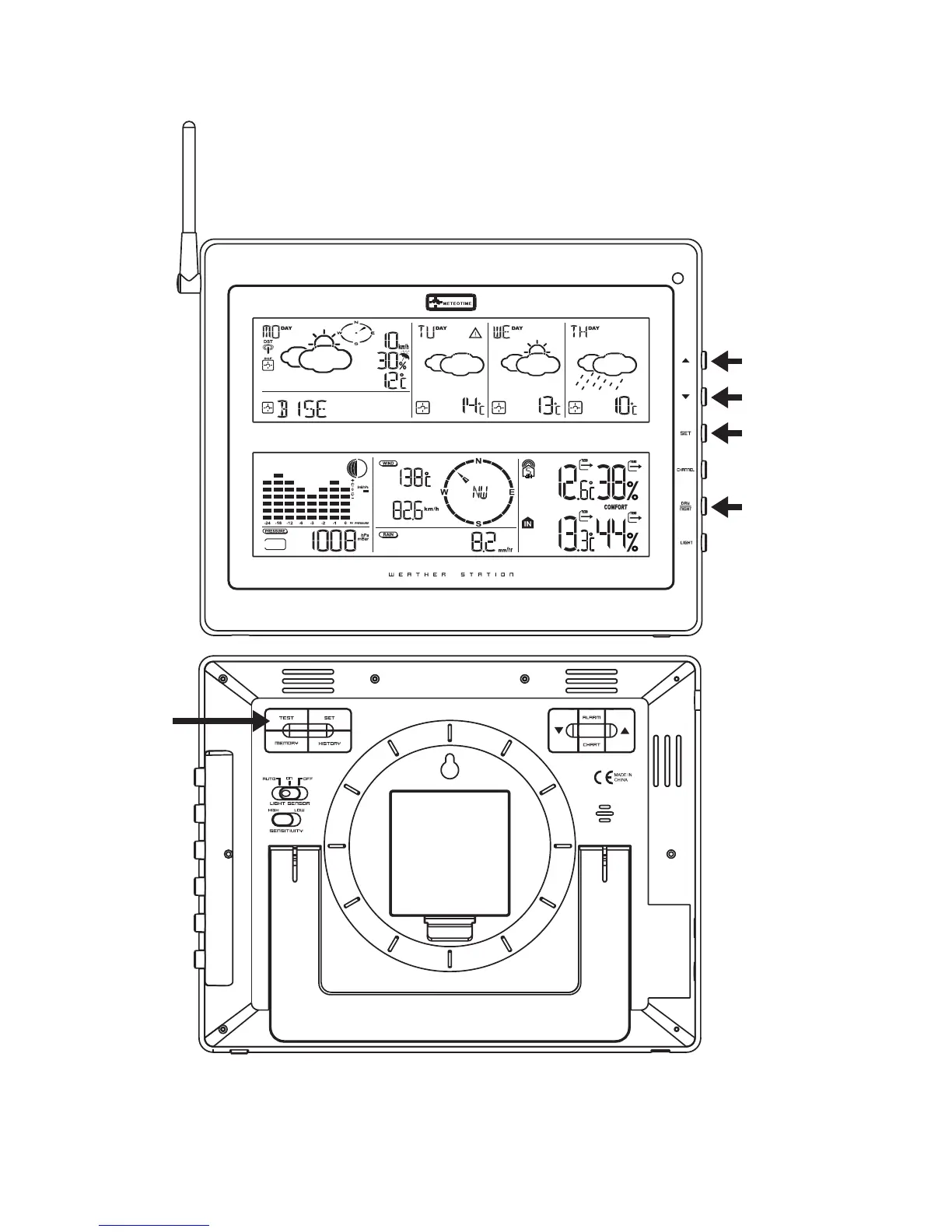
There are total 5 buttons at the Right side of main Unit for Setting up the Meteotime Weather
Section, namely:
SET
• Selected City Time + Date Sunrise + Sunset
• Each press of [SET] will display the selected City, Time + Date or Sunrise + Sunset
• Press and HOLD [SET] for 3 second to select your <1> Country, <2> Time Zone, <3>
Language, <4> Contrast of the LCD display
DAY / NIGHT
• Critical Whether Information Time + Date Day/Night Weather Status Change
• increasing the value during setting
• Chose one of the pre-selected cities
• decreasing the value during setting
• Chose one of the pre-selected cities
TEST √
• Find the place for the device which has a good reception
• Add the city into the list of your desired cities OR Remove the city out of the list of
desired Cities
• Edit your home town



 To Next Page