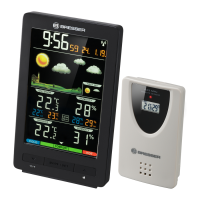
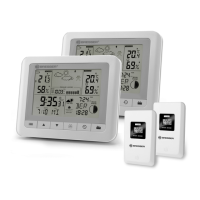
The Bresser ClimaTrend WFS/WFW is a weather station designed to provide comprehensive weather information, both indoors and outdoors, along with time and date functions. It consists of a main unit (base station) and a remote sensor.
Function Description
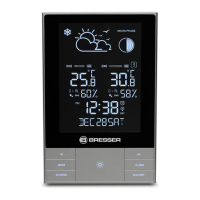
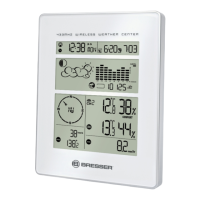
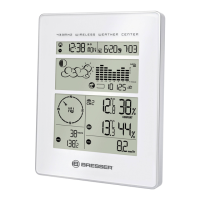
The main unit (base station) displays a wide range of weather data and time-related information. It features an LCD display that shows:
- Weather Forecast: Indicated by various icons (sunny, partly cloudy, cloudy, rain, snow/rain).
- Temperature and Humidity: Indoor and outdoor temperature and relative humidity.
- Air Pressure: Absolute and relative air pressure values, along with a pressure history graph for the last 12 hours.
- Time and Date: Current time (DCF77 radio-controlled), date, and day of the week.
- Sunrise/Sunset: Times for sunrise and sunset for a selected city.
- Moon Phases: Displays the current moon phase.
- Tides: High, middle, and low tide levels.
- Temperature/Humidity Trend: Arrows indicating rising, steady, or falling trends for temperature and humidity.
- Frost Warning: An icon indicates a frost warning when outdoor temperature is between -1.0 °C and +2.9 °C.
- Temperature Alarm: Programmable high and low temperature alarms for outdoor temperature.
- Snooze/Light Function: A button to interrupt an alarm or to enable background lighting for 5 seconds.
The remote sensor (outdoor sensor) measures outdoor temperature and humidity and transmits this data wirelessly to the main unit. It has its own small display showing the current outdoor temperature and humidity.
Important Technical Specifications
Measurement:
- Indoor Temperature Range: 0-50 °C (32-122 °F)
- Outdoor Temperature Range: -20-60 °C (-4-149 °F)
- Temperature Resolution: 0.1 °C/°F
- Humidity Range: 20-90%
- Humidity Resolution: 1%
- Air Pressure Range: 800-1100 hPa (23.5-32.5 inHg)
Transmission:
- Transmission Range: Up to 30 meters (in open area) between transmitter and main unit.
- Radio Frequency: 433.92 MHz
- Multiple Sensors: Supports up to 3 outdoor sensors (only one is included in the package).
Power Supply:
- Main Unit (Base Station): 3x AA 1.5V batteries.
- Remote Sensor: 2x AAA 1.5V batteries.
Usage Features
Initial Setup:
- Insert Batteries: Insert batteries into the main unit first, then into the outdoor sensor.
- Positioning: Place the main unit and remote sensor within effective transmission range. The main unit can be placed on a flat surface using its foldable stand or mounted on a wall. The remote sensor can also be placed on a flat surface or mounted on a wall.
- Signal Reception: The main unit will automatically search for the DCF77 radio signal for time synchronization and receive data from the outdoor sensor. This process can take several minutes.
Key Buttons and Their Functions:
- MODE Button (2): Switches between time and alarm mode. Press and hold for 2 seconds to enter setting mode for time and date.
- UP Button (3): Displays MIN/MAX values for temperature and humidity. In settings mode, it increases a value.
- DOWN Button (4): Enables/disables temperature and/or frost warning. In settings mode, it decreases a value.
- CHANNEL Button (5): Repeatedly presses to display information from different remote sensors (up to 3 outdoor sensors can be connected). Press and hold for 2 seconds to initialize transmission of the RC signal from the remote sensor.
- HISTORY Button (6): Displays barometric pressure values of the last 12 hours. Press and hold for 2 seconds to enter settings mode for barometric pressure unit (absolute/relative).
- CITY Button (7): Enters settings mode for city selection (for sunrise/sunset and tide information).
- SNOOZE/LIGHT Button (8): Interrupts an alarm or enables background lighting for 5 seconds.
Setting Time and Date:
- The device automatically synchronizes with the DCF77 radio signal. Manual settings are also possible.
- To manually set time, date, and other parameters, press and hold the MODE button. Use UP and DOWN buttons to adjust values and MODE to confirm.
City Selection:
- Press the CITY button to select your city for accurate sunrise/sunset and tide information.
Temperature and Humidity Display:
- The main unit displays indoor and outdoor temperature and humidity.
- Press the UP button to view MIN/MAX records.
- The trend arrows indicate whether temperature and humidity are rising, steady, or falling.
Air Pressure Display:
- The device displays current air pressure and a history graph for the last 12 hours.
- Press the HISTORY button to view the pressure history.
Alarms:
- Temperature Alarm: Set high and low temperature alarms for the outdoor sensor. An alarm will sound if the temperature exceeds or falls below the set limits.
- Time Alarm: Set a daily alarm. The snooze function allows for a temporary interruption of the alarm.
Moon Phases and Tides:
- The device automatically calculates and displays the current moon phase and tide levels based on the selected city.
Maintenance Features
Battery Replacement:
- When batteries are low, a low battery indicator will appear on the display for both the main unit and the remote sensor.
- Replace batteries promptly to ensure continuous operation.
- Always replace batteries in both the main unit and the remote sensor at the same time to avoid transmission issues.
- When replacing batteries in the remote sensor, remove them, wait a few seconds, and then insert new ones to ensure a proper reset and re-connection with the main unit.
Cleaning:
- Clean the device exterior with a dry, soft cloth.
- Do not use abrasive cleaners or solvents.
- Avoid exposing the device to water or excessive moisture.
Troubleshooting:
- Signal Disconnection: If the outdoor temperature display is blank, check the remote sensor's batteries and ensure it is within range. Re-initialize the sensor transmission by pressing and holding the CHANNEL button on the main unit.
- Temperature Freezing: If outdoor units freeze, their voltage supply may be affected. Ensure batteries are suitable for low temperatures.
- Interference: Signals from other household devices (doorbells, home security systems) or entry controls may interfere with transmission. Ensure the device is placed away from such sources.
Disposal:
- Dispose of packaging materials properly, according to their type (paper, cardboard).
- Do not dispose of electronic devices in household garbage. Follow local regulations for the disposal of electronic waste and batteries. Batteries and rechargeable batteries must not be disposed of with household waste.
Warranty & Service:
- The regular warranty period is 2 years from the date of purchase.
- An extended voluntary guarantee period may be available upon registration on the manufacturer's website.
- Consult the full warranty terms and conditions on the manufacturer's website for detailed information.

 Need help?
 General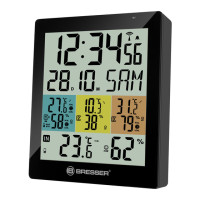


 To Next Page