20
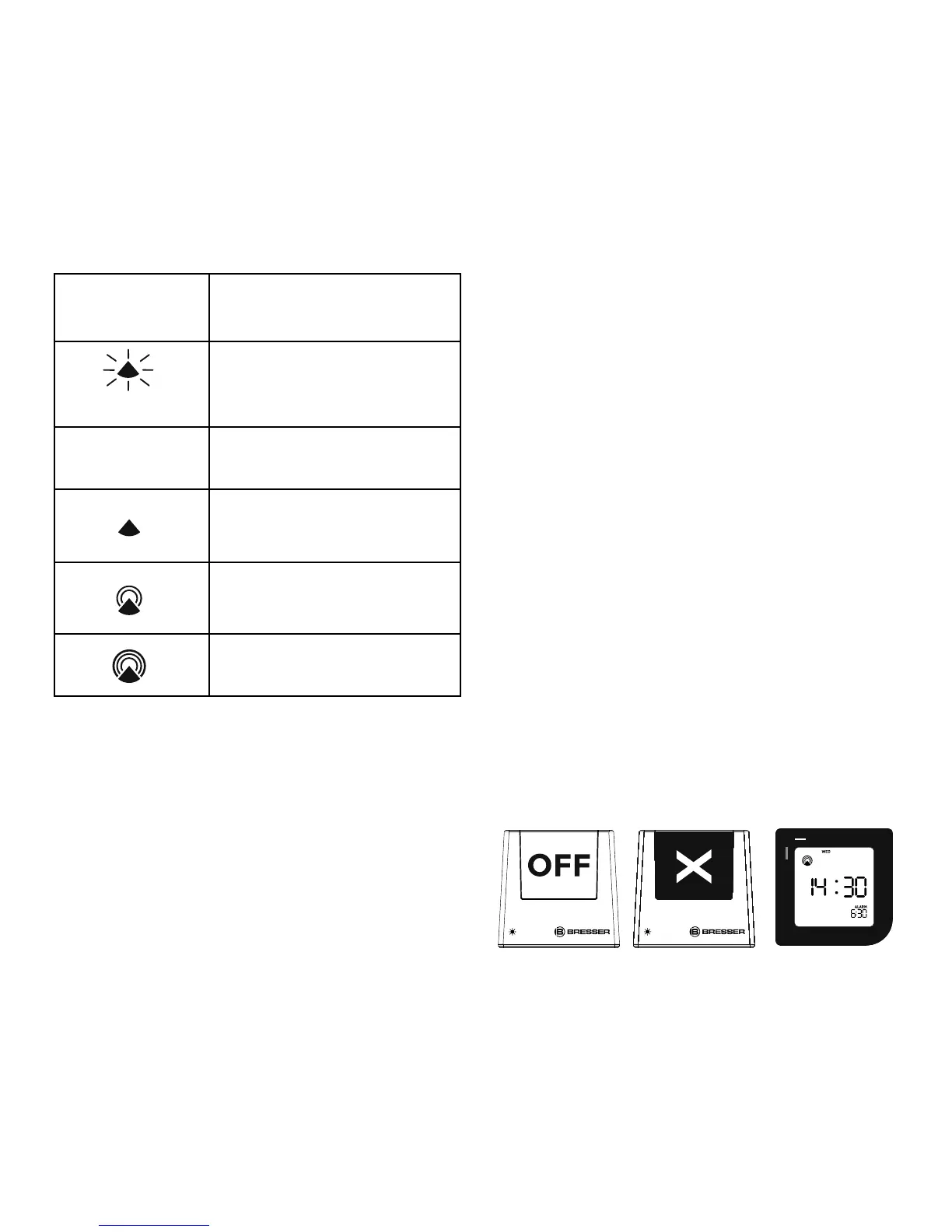
Icon
Atomic Time
Reception Strength
(Flashing)
Undefi ned data
(No icon) No Reception
No Reception for the
past 24 hours
Weak signal, but can
be decoded
Strong signal
The radio controlled signal will be sched-
uled to receive a signal 4 times per day at
2:15:30; 3:15:30; 4:15:30; 5:15:30.
Press and hold DOWN (
▼) button for 3
seconds to force to search the radio signal.
If atomic time reception is activated, a tower
icon will start fl ashing. If reception is disa-
bled, the tower icon will disappear.
If the time signal has not been received in 8
minutes, you may set the time manually.
How to permanently stop or revive
the Radio Controlled Time
Press and hold DOWN (▼) button for 3
seconds to activate the radio signal, a tower
icon will start fl ashing, then press and hold
DOWN (
▼) button for 3 seconds to stop
receiving atomic time signal and disable the
time icon permanently unless you press and
hold DOWN (
▼) button again for 3 seconds
to revive the atomic time reception.
HOW TO MANUALLY SET DATE AND
TIME
Roll the clock to “OFF / X” side, red indicator
will appear for 3 seconds.


 To Next Page