22
USING THE ALARM AND SNOOZE
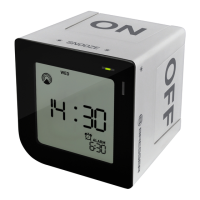
Roll the clock to “ON /
9
” or “OFF / X” side
to turn on/off the alarm. If the alarm is on, the
alarm icon
will appear. The green indica-
tor light will fl ash for 3 seconds.
When the current time reaches the alarm
time that is enabled, the corresponding alarm
is activated.
Simply roll the unit to “OFF / X” side to turn
off the alarm.
Or press “SNOOZE/LIGHT” key, alarm stops
and the backlight will turn on for 5 seconds,
the repeat alarm indicator
will fl ash. The
alarm sounds again after 5 minutes.
If the alarm is not turned off, the alarm will
stop automatically after 2 minutes.
BACKLIGHT
Softly touch the “SNOOZE/LIGHT” key, the
backlight will turn on for approximately 5 sec-
onds
SPECIFICATIONS
Clock
• Radio Controlled time (DCF)
• 12/24 hour time format
• With Summer time indicator
• Date/Month or Month/Date format
• Date of week
• Rolling alarm on/off
• Snooze/Light touch key
• Crescendo alarm with max. 7 times
snooze
Power
2x AA size (LR6) 1.5V batteries (required)
Dimensions
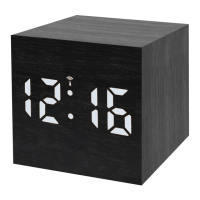
88(L) x 88(H) x 85(D) mm


 To Next Page