10
Instruction Manual
Using GO TO capabilities
Before you can use GO TO capabilities, you must first:
• Learn how the keys move through the menus
• Initialize the computer control
• Place the telescope in the polar home position, if you have not already done so.
• Select
ALIGN: One-Star from Menu „Align“
Moving through the menus
The menus are organized for quick and easy navigation.
• Press
ENTER
to go deeper into menu levels.
• Press MODE to move back toward the top menu level.
• Press the SCROLL keys s t to move up and down through the options
available for each menu level.
• Press the arrow keys to enter characters.
You also move your telescope with the arrow keys if no input is required.
Tour the Cosmos with Just the Push of a Button
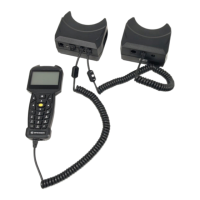
Control of the telescope mount is through the operation of the handbox. Nearly
all functions of the telescope are accomplished with just a few pushes of the but-
tons. Some of the major features of the handbox are:
• Automatic GO TO capability: Automatically move the telescope to any of the
more than 30,000 objects stored in the object library.
• Take a guided tour of the best celestial objects to view on any given night of
the year.
• Access a glossary of astronomical terms.
• Calculate which magnification the eyepiece used gives in conjunction with a
specific telescope.
Definition:
Initialization is a procedure
that ensures that the hand
box operates correctly.
When you first use the
hand box, it doesn‘t yet
know where the observa-
tion location site is or the
time or date of the observa-
tion session.
You will enter information,
such as the current time
and date, and observation
location.
The hand box uses this
information to precisely
calculate the location of
celestial objects (such as
stars and planets) and to
automatically move your
telescope correctly for vari-
ous operations.
Tip:
When multiple choices are
available within a menu
option, the current option is
usually displayed.


 To Next Page