EasyManua.ls Logo

Breville BCG600 - User Manual

Breville BCG600
19 pages
Print Icon
To Next Page IconTo Next Page
Loading...
www.breville.com
USA
Mail: Breville USA
19400 S. Western Ave
Torrance CA
90501-1119
Phone: 1-866-273-8455
1-866-BREVILLE
Web:
brevilleusasupport.com
Canada
Mail: Breville Canada
3595 Boulevard Cote-Vertu,
Saint-Laurent,
Québec H4R 1R2
Phone:
1-855-683-3535
Email:
askus@breville.ca
Breville Consumer Support
Breville is a registered trademark of Breville Pty. Ltd. A.B.N. 98 000 092 928.
Copyright Breville Pty. Ltd. 2014.
Due to continued product improvement, the products illustrated/photographed
in this book may vary slightly from the actual product.
BCG600 USC C14
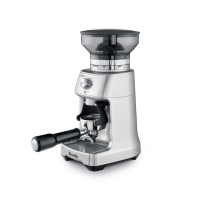
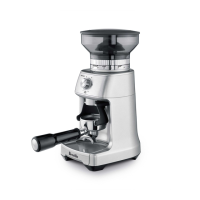
the Dose Control
Pro
Instruction Book - Manuel d’instructions
Suits all BCG600 models

Questions and Answers

  • J
    joelbrandtJul 27, 2025
    What to do if Breville BCG600 does not start after pressing START?
    • L
      Laura YatesJul 27, 2025
      If your Breville Coffee Grinder doesn't start, make sure the grinder is plugged into a power outlet and the bean hopper is correctly attached. Also, check if the GRIND TIME dial is set to 0 seconds; if so, rotate it to increase the grind time. If the grinder has overheated, leave it for 20 minutes to cool down before using it again.
  • R
    roger48Aug 1, 2025
    What to do if Breville Coffee Grinder motor starts but no ground coffee is coming from grind outlet?
    • F
      francojohnAug 1, 2025
      If the motor of your Breville Coffee Grinder starts but no ground coffee is dispensed, it could be due to a few reasons. First, check if the bean hopper is filled with fresh coffee beans. If it is, the grinder or bean hopper might be blocked. Inspect both for any blockages.
  • M
    Michelle BauerAug 8, 2025
    How to adjust the amount of coffee grind on Breville Coffee Grinder?
    • E
      Emily SmithAug 8, 2025
      To adjust the amount of coffee grind on your Breville Coffee Grinder, use the GRIND TIME dial to fine-tune the amount to your preference.
  • M
    Mary WilliamsonAug 14, 2025
    Why I am unable to lock bean hopper into position on Breville BCG600 Coffee Grinder?
    • R
      Robert HamiltonAug 14, 2025
      If you're unable to lock the bean hopper into position on your Breville Coffee Grinder, it might be because coffee beans are obstructing the locking device. Remove the bean hopper, clear any coffee beans from the top of the burrs, and then try re-locking the hopper into position.
  • I
    Isaac Hill IIAug 20, 2025
    What to do in case of emergency stop of Breville Coffee Grinder?
    • N
      Nancy LeeAug 20, 2025
      To perform an emergency stop on your Breville Coffee Grinder, press the START|CANCEL button to pause operation. Then, unplug the power cord from the power outlet.

Summary

Breville Recommends Safety First

Important Safeguards

Key safety precautions and instructions for operating the appliance.

Breville Assist Plug

Information about the unique Assist® Plug design for safe removal.

Short Cord Instructions

Safety guidelines for using the appliance's short power supply cord.

California Proposition 65

Disclosure regarding chemicals known to cause cancer or reproductive harm.

Know Your Breville Product

Accessories

Details on included accessories and optional items for the product.

Not Shown

Description of product features not visible in the accompanying diagram.

Operating Your Breville Product

Grinder Overview

Overview of the grinder's capabilities and components for coffee grinding.

Assembling Your Breville Dose Control Pro

Step-by-step guide for assembling the Breville Dose Control™ Pro grinder.

Grinding for Espresso Coffee

Instructions for grinding coffee beans specifically for espresso brewing.

Trimming the Dose

Using the Razor™ tool to trim the coffee dose for consistent extraction.

Step 5: Select Your Grind Size

Guidance on selecting the appropriate grind size for optimal espresso extraction.

Grinding Into a Grinds Container or Coffee Filter

Instructions for grinding coffee into a separate container or filter basket.

Step 2: Select the required amount of ground coffee

Adjusting the amount of ground coffee dispensed using the GRIND TIME dial.

Step 3: Select Your Grind Size

Selecting the correct grind size collar setting for various brewing methods.

Pause Function

How to pause and resume the grinding operation.

Manual

Instructions for manually controlling the grinding process.

Adjusting Conical Burrs

Guide to adjusting the upper burr for extended grind range and optimal extraction.

Care, Cleaning & Storage

Cleaning Conical Burrs

Detailed steps for cleaning the conical burrs for consistent grinding results.

Coffee Making Tips

Making Better Quality Coffee

Tips for improving coffee flavor and body through proper grinding and storage.

French Press

Step-by-step guide for brewing coffee using a French Press.

Troubleshooting

Common Issues and Solutions

Guidance on resolving common operational problems with the grinder.

Breville BCG600 Specifications

General IconGeneral
BrandBreville
ModelBCG600
CategoryCoffee Grinder
LanguageEnglish

Related product manuals