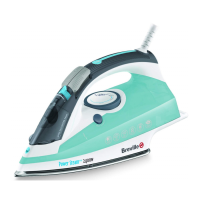
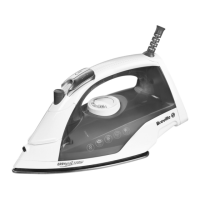
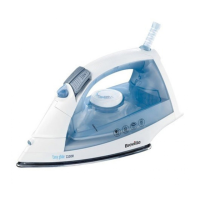
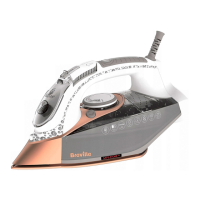
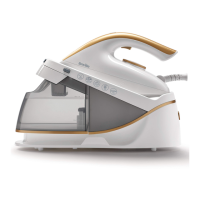
This document describes the Breville VIN410 PressXpress® 2400W steam generator, a household appliance designed for ironing.
Function Description
The Breville VIN410 PressXpress® is a 2400W steam generator iron designed to simplify ironing tasks. It can be used for both dry ironing and steam ironing, including vertical steam ironing for items like curtains, jackets, suits, and coats. The appliance features an auto-off safety function that activates after 5 minutes of inactivity, entering a sleep mode to conserve energy. To restart, the user simply pulls the steam trigger. The iron also includes a self-clean function to remove scale and impurities, with an intelligent reminder cleaning mode that activates after 25 hours of continuous steam ironing.
Important Technical Specifications
- Power: 2400W
- Steam Generator Type: PressXpress®
- Water Tank: Removable, designed to be filled with cold tap water up to the MAX mark.
- Controls: Temperature control dial, steam trigger, lock button, unlock button, power switch (I/O).
- Indicators: Clean indicator light, temperature indicator light.
- Safety Features: Auto-off function, earthed appliance, BS1363 13 amp plug with ASTA approved BS1362 fuse.
- Components: Iron handset, base station, steam cord, power cord, cleaning tray.
Usage Features
- First Use: Before first use, all packaging and soleplate protection must be removed. The soleplate should be wiped with a soft cloth. The iron handset is positioned on the base station. It's important to ensure the supply voltage matches the appliance's requirements. A slight odor and smoke may occur during the first few minutes of operation, which is normal. The water system needs priming by operating the steam boost function (double-clicking the steam trigger) several times until steam is produced.
- Cleaning Before Use: To remove manufacturing impurities, the water tank should be filled, the iron set to MAX temperature, and an old piece of cloth (cotton or towels) ironed for a few minutes while pressing the steam trigger 4-5 times. The water tank should then be emptied and refilled.
- Filling the Water Tank: The removable water tank is pulled forward from the base station, slid out, filled with cold tap water to the MAX mark, and then slid back into the base unit until it latches securely. The water tank can be refilled during use.
- Steam Ironing:
- Fill the water tank.
- Plug in the steam generator and press the power switch (I/O).
- Rotate the temperature control dial to a setting between "••" and MAX.
- The temperature indicator light will pulse during heating and turn solid when ready.
- Press the steam trigger for a couple of seconds. Steam will continue to emit for a short time after the trigger is released.
- For a steam boost, double-click the steam trigger quickly.
- Warning: Do not use steam when ironing delicate fabrics like nylons, acrylics, and synthetics.
- Ironing Without Steam (Dry Ironing):
- The water tank does not need to be filled.
- Rotate the temperature control dial to the desired heat setting.
- The temperature indicator light will turn solid when ready.
- Iron without pressing the steam trigger.
- Vertical Steam Ironing:
- Select a temperature setting higher than "••".
- Once the temperature indicator light turns solid, hold the iron in a vertical position and press the steam trigger.
- Warning: Hot steam is emitted from the soleplate. Do not iron/steam a garment while wearing it or operate steam in the direction of yourself or anybody else.
- Auto-off Function: If the appliance is not used for 5 minutes, it enters sleep mode. To restart, pull the steam trigger. The unit may need a short time to reheat.
- Temperature Adjustment: The steam generator takes time to heat up and cool down. When changing the temperature setting, especially from a high to a lower setting, allow time for the unit to adjust until the temperature indicator light turns solid again. It is recommended to begin ironing at lower temperatures.
Maintenance Features
- Care and Cleaning:
- Allow the iron to cool completely.
- Wipe the soleplate with a damp cloth. If polyester has burnt, iron a damp cotton cloth while the iron is still hot.
- Wipe the rest of the iron with a soft damp cloth, then wipe dry.
- Warning: Do not use harsh abrasives, chemical cleaners, or solvents. Never immerse the appliance, power cord, or plug in water or any other liquid.
- Self-Cleaning:
- The self-clean function removes scale and impurities. An intelligent reminder cleaning mode activates after 25 hours of continuous steam ironing, indicated by the cleaning indicator light illuminating.
- To activate: Adjust the temperature control knob to MAX. Press and hold the self-clean button for 3 seconds. The clean indicator light will flash. Place the iron handset on the cleaning tray and pull the steam trigger once. Hot water and steam will be ejected from the soleplate holes, along with impurities.
- To cancel the self-clean function, press and hold the self-clean button for 3 seconds.
- Warning: Do not pick up the handset while the clean indicator light is flashing as hot water and steam may be ejected. Only remove from the cleaning tray once the clean indicator light has stopped flashing and the power has been switched off. Always use the cleaning tray provided and do not leave unattended during the clean cycle.
Troubleshooting
The manual provides a troubleshooting guide for common issues:
- No steam production: Check water tank level (fill if low), ensure water tank is fully inserted (re-insert if not), prime the unit if it's the first use (operate steam boost), or wait for the unit to heat up (temperature indicator light solid).
- Brown particles emitted from soleplate: Operate the self-clean process.
- No display lights: Pull the steam trigger to exit auto-off mode (unit may need to reheat).
For further troubleshooting and FAQs, users can visit www.breville.co.uk/faqs.
After Sales Service and Replacement Parts
For appliances under warranty that do not operate, return the product to the place of purchase with a valid proof of purchase. For additional support, contact the Consumer Service Department at 0800 028 7154 or email BrevilleEurope@newellco.com.
Electrical Safety
The appliance must be earthed and is fitted with a moulded or rewirable BS1363, 13 amp plug with an ASTA approved BS1362 fuse. If the fuse needs changing, the fuse cover must be refitted. If the plug is unsuitable, it should be dismantled and removed, and an appropriate plug fitted. Any other plug used must have a 13 amp fuse.
Waste Disposal
Electrical products should not be disposed of with household waste. Recycle where facilities exist. For recycling and WEEE information, email BrevilleEurope@newellco.com.


 To Next Page
 General