Document # 100452 RevK 9 Printed in USA © 2012
Powered Backrest (Models 6500 & 6501)
Models 6500 & 6501 are equipped with safety switches
on the rear of the seat back which automatically stops the
lowering function of the seat and back if an obstruction is
encountered.
Depress the BACK UP pedal and remove the obstruction.
PneuMatic Manual Backrest (Models 6000 & 6001)
The safety switches automatically stop the lowering func-
tion of the seat if an obstruction is encountered.
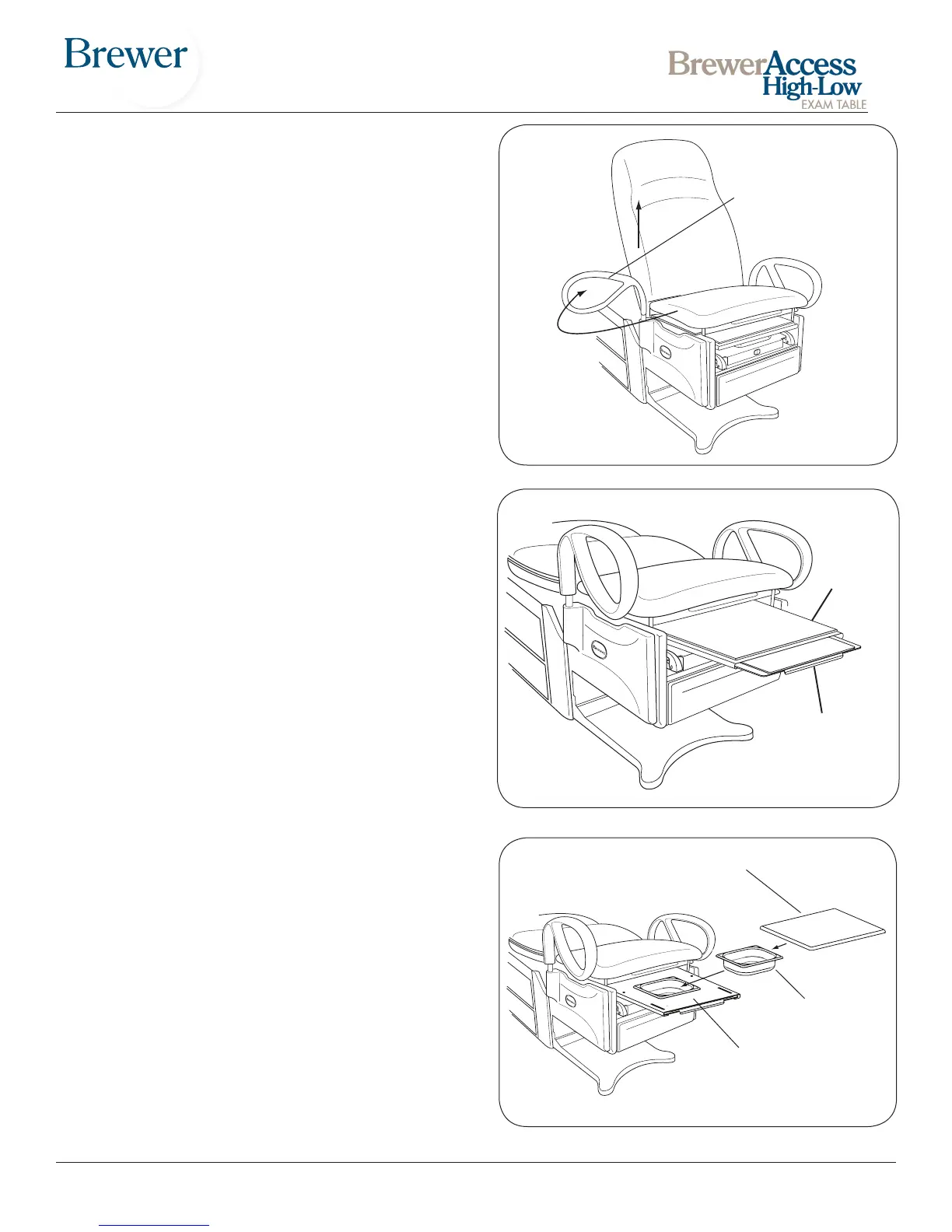
Grab Bars
In the forward (normal use) position the grab bars lock
into place preventing left or right rotation.
The grab bars can be rotated to the side of the table for
improved access to the patient. Pull up on the grab bar
and rotate to the desired position. The grab bar locks in
the front and rear position.
NOTE: The grab bar can be removed from the table by
pullling up on the grab bar, rotating it to the 90° position,
and then lifting it out of it’s holder.
Leg Support
The leg support is located under the seat cushion. (Figure
11), It can be extended 14” for the patient prone position.
If more length is needed, the leg extension can be pulled
out to provide an additional 6”.
Treatment Pan
A removable treatment pan is built-in underneath the
leg support pad for use during examination. Pull the leg
support fully out and remove the leg support pad or slide
it back under the seat to access the pan (Figure 12).
Remove the treatment pan for cleaning.
Figure 10. Grab Bar Adjustment
Pull up to rotate
Push down to
lock in place
Figure 11. Leg Extention
Figure 12. Treatment Pan
Leg Support
Treatment Pan
Leg Support Pad
Leg
Support
Leg
Extension


 To Next Page