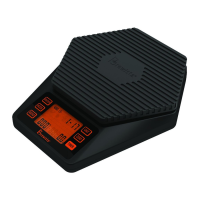
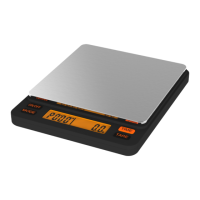
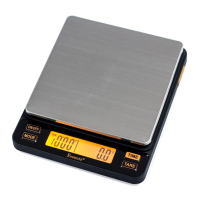
Clear Protective
Cover/ Tray
Scale
• What’sinthebox?
start here.
quick start guide
Platform
Silicone
Pad
MODE
Indicator
Battery
Life Icon
Coee
Bean Icon
Kettle
Icon
MODE
Button
RATIO
Button
ZERO
Button
UNIT
Button
ON/OFF
Button
TIMER
Button
USB Charging PortProtective Cap
Timer
Readout
“Target” Rate
Bar Segments
“Actual” Rate
Bar Segments
Ratio / Target
Weight Readout
Actual
Weight
Readout
Weight
Unit
LCD
Readout
• Components
back of scale
front of scale
interface
• Open the orange USB port cover at the back of the scale.
•Insert a micro USB cable into the port.
•Insert the large end of the USB cable into a USB compatible outlet to
charge your scale’s battery.
•The scale will automatically turn on to verify that the charging
cord is correctly connnected. We recommend turning o the scale
manually at this time to reduce charging time.
•When charging is nished remove USB cable from scale and replace
the port cover.
• ChargingtheBattery
• Turning
ScaleOn
• Auto-o
Function
set to 180 seconds
by default
• Turn o the scale.
• Press and hold the ON/OFF button.
• While holding the ON/OFF button, press the ZERO button 4-5 times
quickly until “180” is shown on the LCD display.
• Release both buttons.
• Press the ZERO button to switch between “0/60/120/180”.
• If “0” is selected, the Auto-o function will be disabled.
• After choosing the desired time, press the ON/OFF button again.
• The display will show “PASS” to conrm this setting.
• The scale will turn o automatically.
• Note: To keep a longer battery life, please turn o the scale by
pressing ON/OFF button after each use.
• Press the ON/OFF button once to power on the scale.
˗ Wait for scale to zero before adding weight to the platform.
˗ Scale returns to last mode used when turned on.
• The brewing ratio will display in the upper right for 3 seconds then go
blank.
˗ The last ratio that was used will be displayed.
• Press “ON/OFF” button to turn on your scale. Wait until the LCD
displays zero.
• The display will read “ A ” (automatic) or “ M ” (manual) in the
upper left of the LCD readout.
•Press MODE button to toggle between these two modes.
• ModeSetting
Silicone
Insulating Pad
USB cord
ratio : scale
BWRRS1
Scan for Video


 To Next Page