7712206-User Manual-EN-2019-9 9 | 22
Using the system
This section explains how to use the system and gives you
some good advice and recommendations for use.
For more information regarding the system and different
setups, visit www.brewtools.com, or scan the QR code.
The control system
The systems are equipped with a 7” touch screen
controller.The software can be updated for free through the
built-in WiFi-module. When a new version of the software is
available, it will automatically download and prompt the user
to install it. If the user does not update right away, the new
software will automatically be installed during the next
startup.
The software is constantly being updated and new features
added, so we will not cover the software in this user manual.
Visit our website, www.brewtools.com or scan the QR-code to
get the latest information on our Pro series software.
Valves
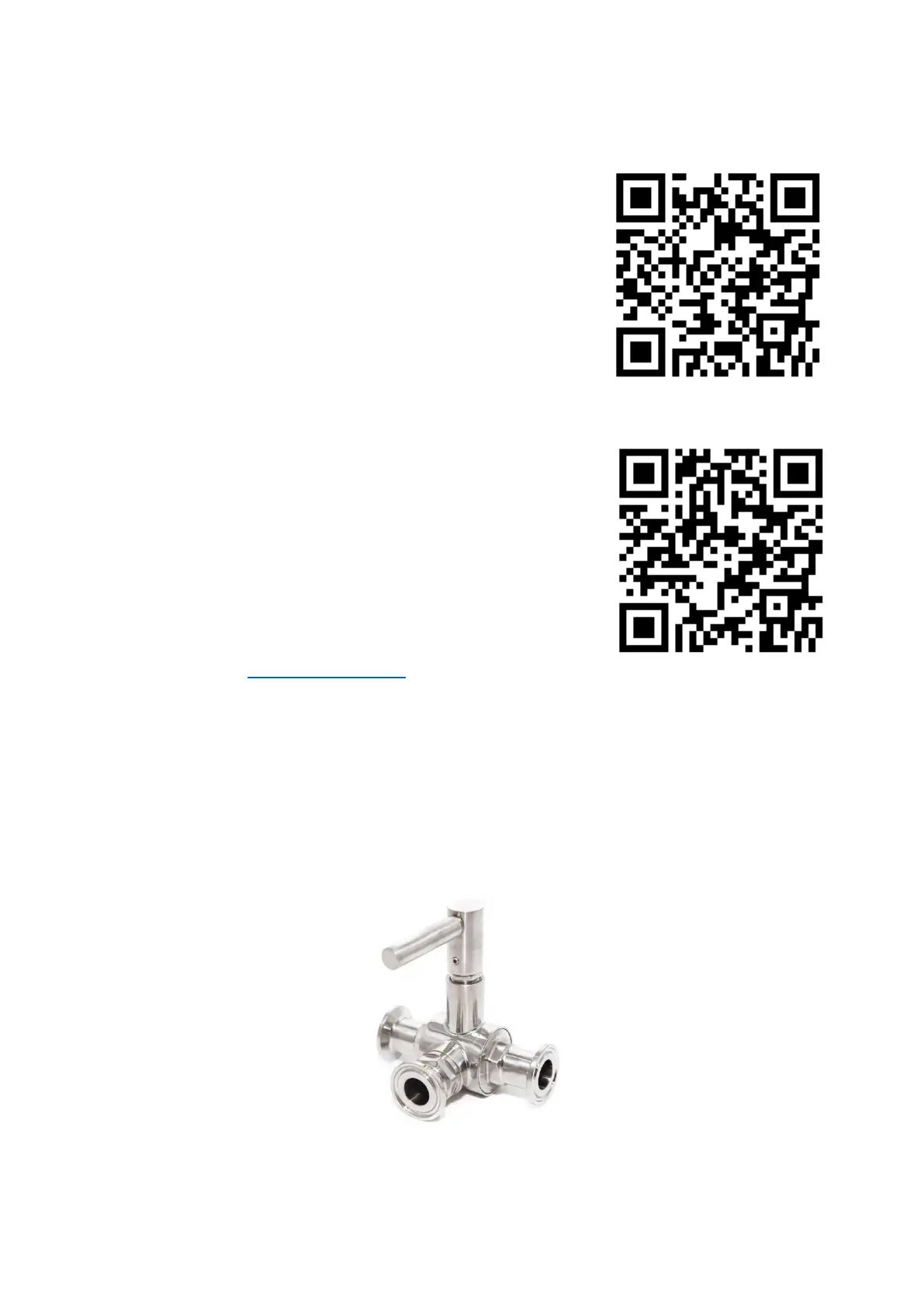
The system two T-type 3-way ball valves as standard. One side valve, and one bottom valve.
The valves only close the port opposite to the direction the handle is pointing. If the handle
points toward the middle port (as shown below), all ports are open.
3-way valve shown with all ports open



 To Next Page