Confidential © Brickcom Corporation, All Rights Reserved.
WWW.BRICKCOM.COM | EXPERT IN IP SURVEIL LANCE
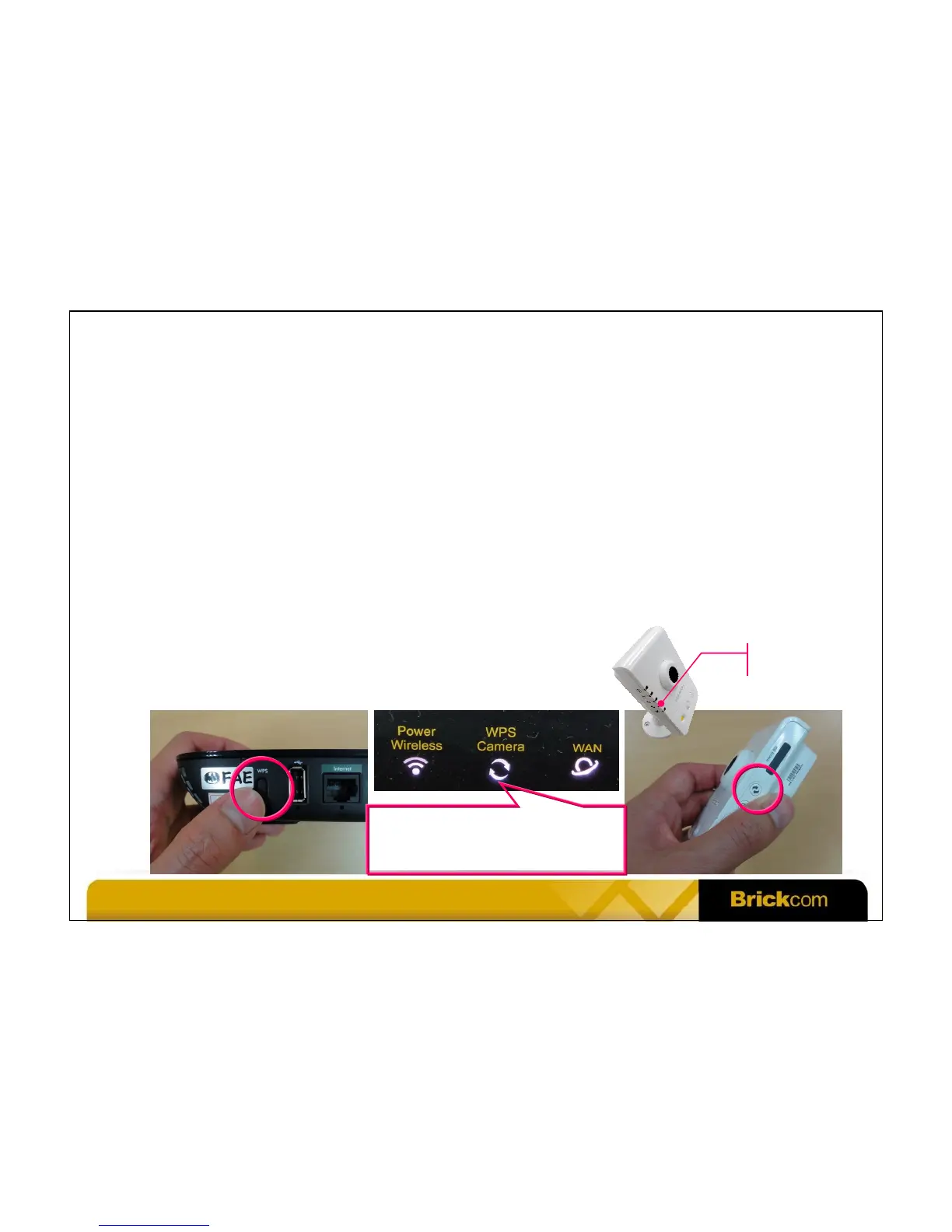
Set Up Wi-Fi Connection Using WPS
• Step 1: Power on the DWRT-600N and the WCB-100Ap. Wait for 1 minute for both
devices to be up and running.
• Step 2: Press the WPS button of the DWRT-600N. The WPS LED will be blinking.
• Step 3: Press the WPS button of the WCB-100Ap. The WPS LED will be blinking.
• Step 4: When the WPS LED of the WCB-100Ap stops blinking and becomes ON, WPS
is successfully done (the WPS LED will go off some time later). The process usually
takes less than 1 minute. The WPS Camera LED of the DWRT-600N becomes ON.
• Step 5: If you have more than 1 camera, repeat step 2~4.
• The wireless connection is encrypted and secure.
Blinking: WPS is running
OFF: WPS is not running
ON: Brickcom IP camera is found
WPS LED



 To Next Page