Confidential © Brickcom Corporation, All Rights Reserved.
WWW.BRICKCOM.COM | EXPERT IN IP SURVEIL LANCE
Set Up Wi-Fi Connection
• If the WCB-100Ap and DWRT-
the WCB-100Ap can be connected to the DWRT-600N automatically in around
90 seconds after power-on.
– The network name (SSID) of the DWRT-600N is Brickcom.
– The wireless connection is not encrypted and is not secure.
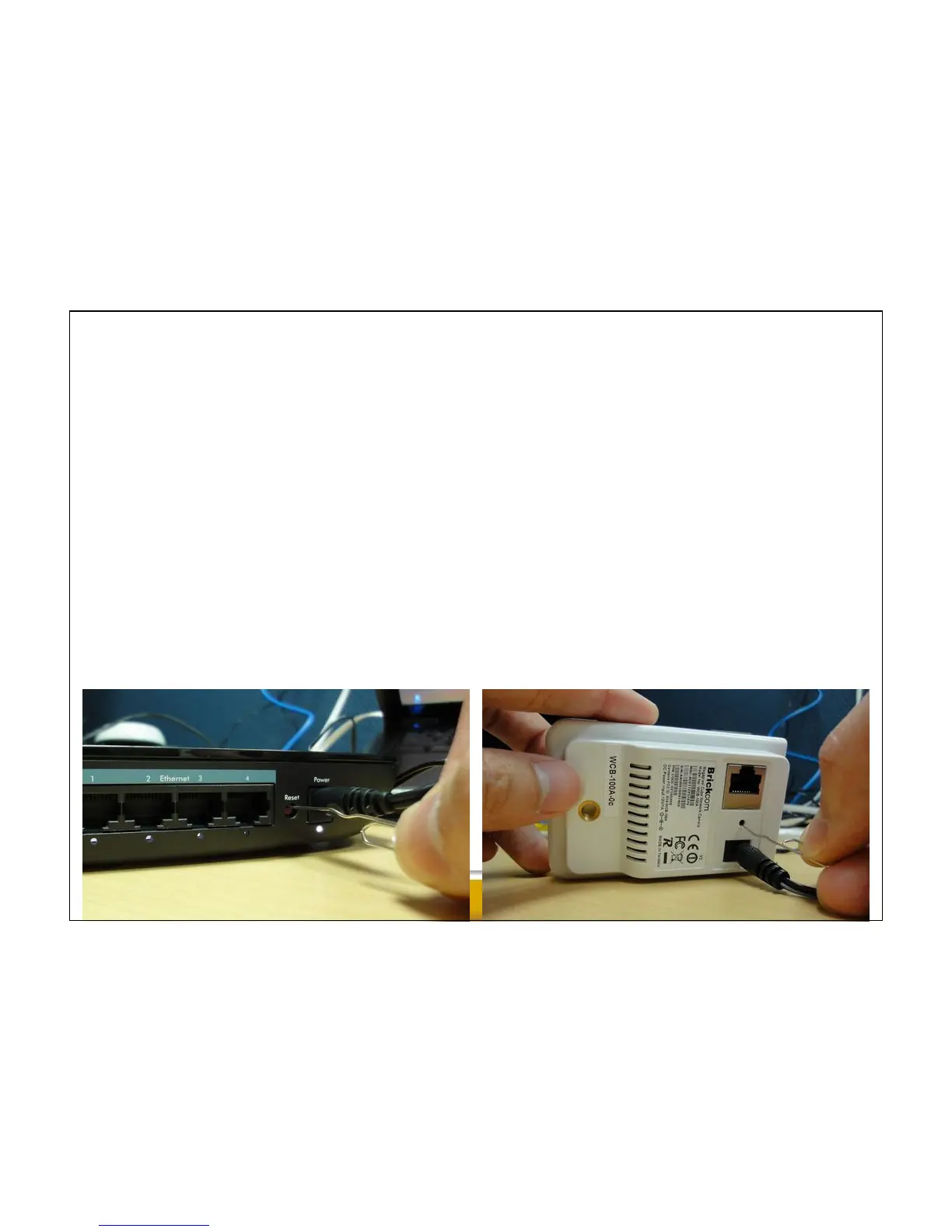
– To reset the DWRT-600N to the factory default, press the Reset button for 10
seconds and all the LED indicators will go off, then release it. This process takes
around 60 seconds.
– To reset the WCB-100Ap to the factory default, press the Reset button for 10
seconds and then release it. This process takes around 90 seconds.



 To Next Page