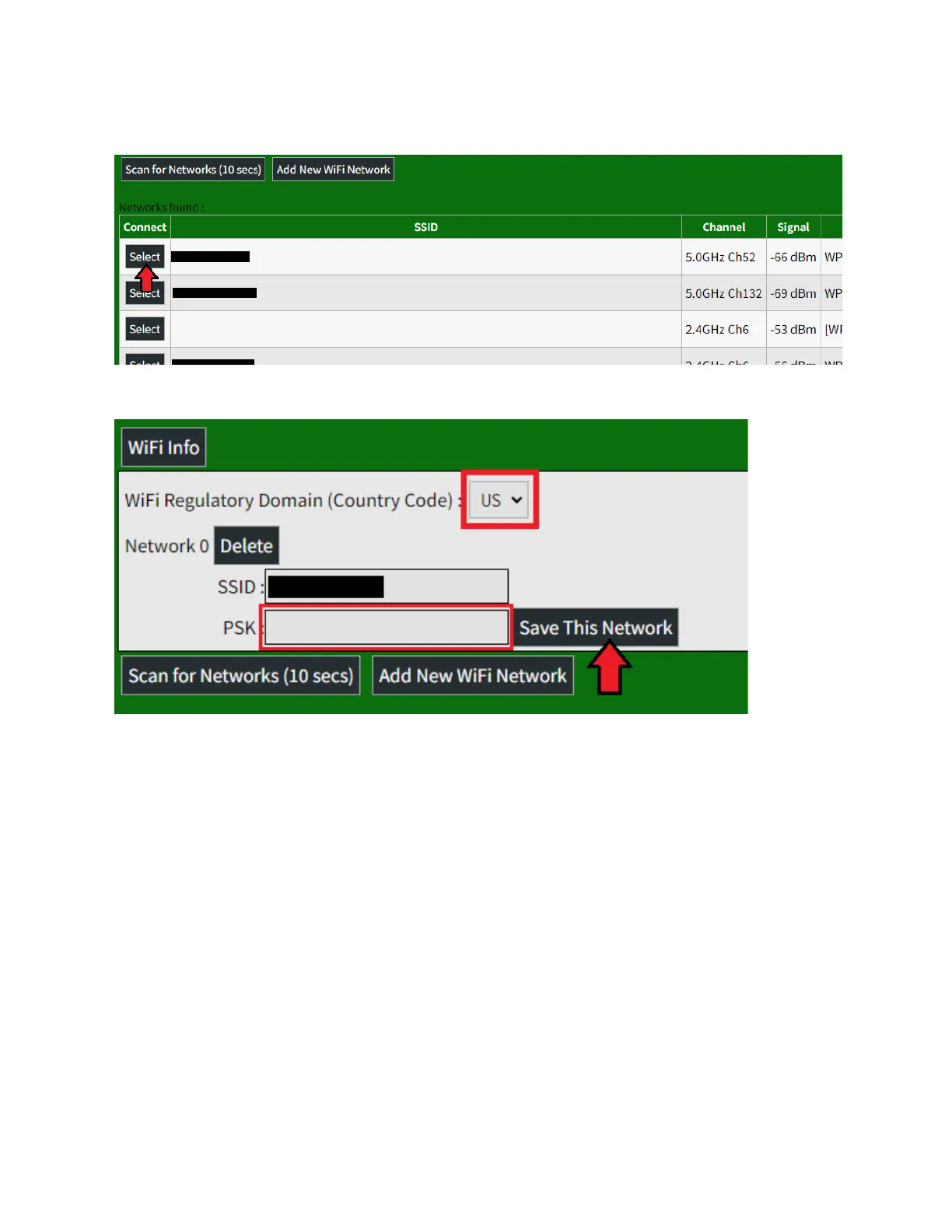
4. Be sure the Country Code matches your country and
enter the password for your WiFi connection in the
PSK field. Once this is complete, click Save This
Network.
5. This will store the network. To connect to it, you will
need to reboot your SkyBridge and unplug the
Ethernet cable while it is rebooting so that it will use
the WiFi connection. To do this:



 To Next Page