Brilliance | brillianceled.com | 800.867.2108
Follow us on social media: brilliance.led Brilliance LED, LLC
Quick Mode Set Up - Continued
NOTE: If Quick Mode Set Up does not
connect, use the AP Mode Set Up
instructions.
WI-FI SMART SOCKET 2
SET UP INSTRUCTIONS
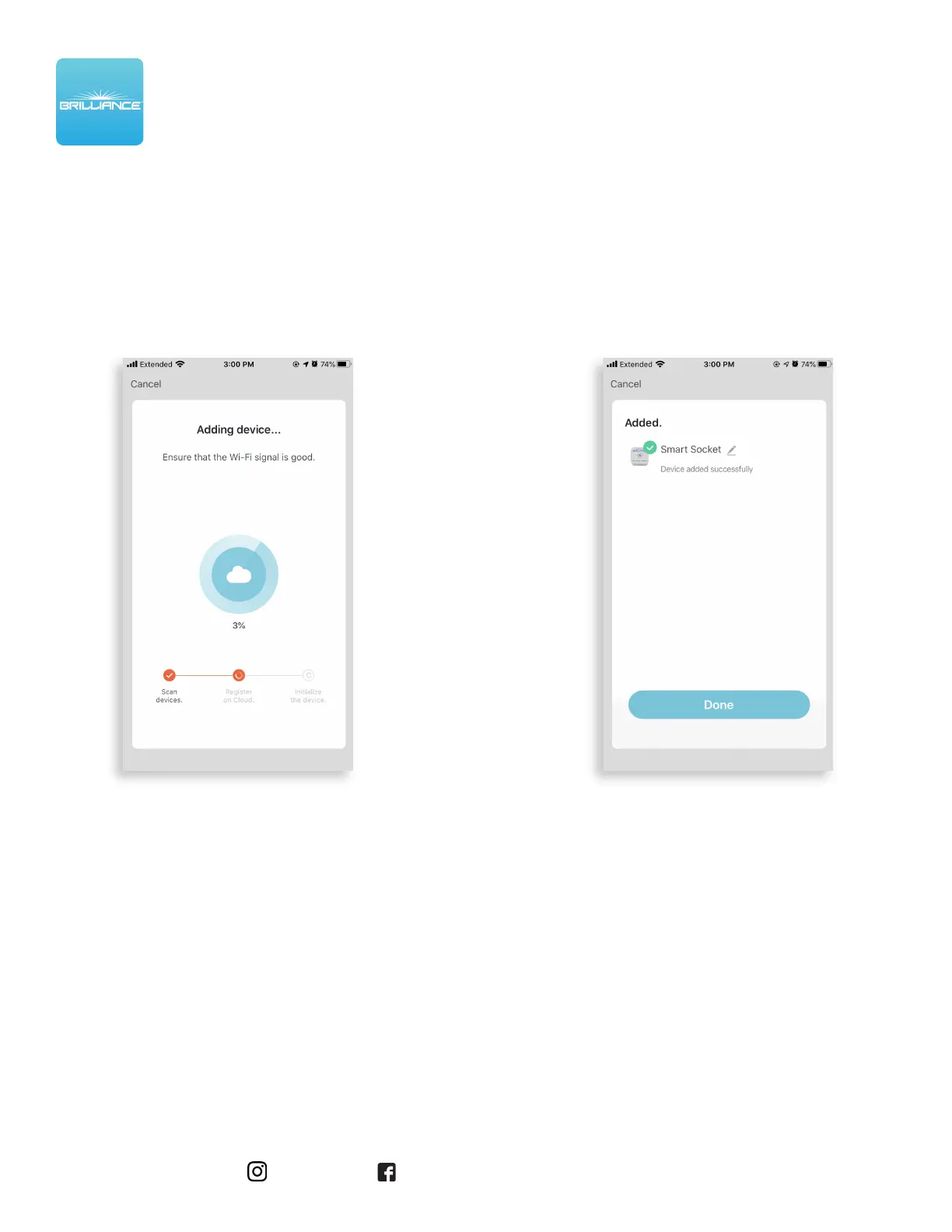
7. The Adding Device screen is displayed while
the app connects to the Smart Socket.
8. When the device is connected, the Added
screen is displayed. Tap the Pencil icon to
rename the device, then tap Done to finish.


 To Next Page