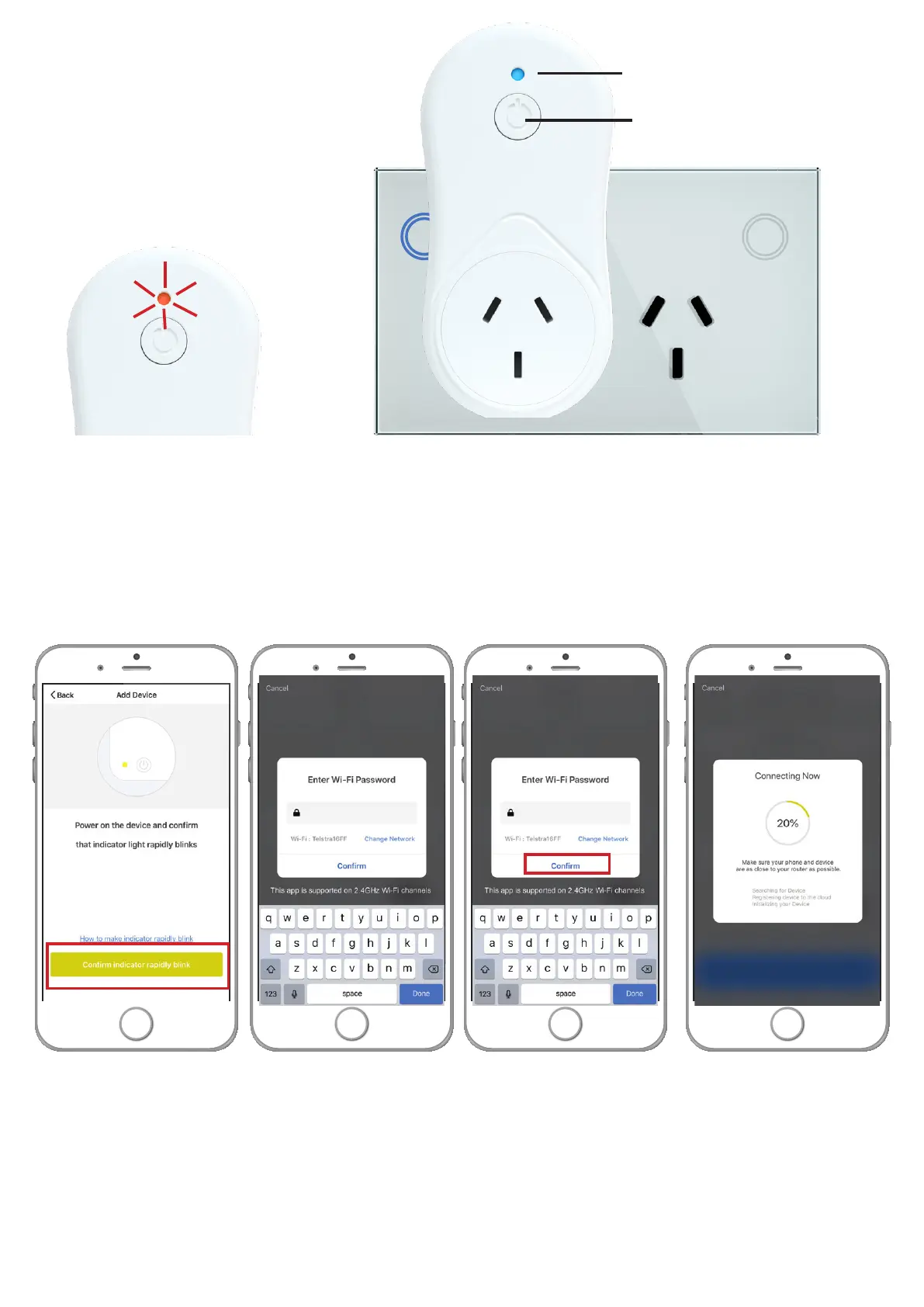
After you have selected your device
insert the Smart WiFi Plug into a
240V powerpoint. The light should
flash red once then turn blue (on).
If the indicator light isn’t blue (on)
please press manual control button
once (on).
indicator light
manual control
button
To connect the Smart WiFi Plug to your WiFi press and hold the manual control button for about 5 seconds until you
hear a click. Let go of the button as soon as you hear the click. Then press button once again to activate blinking.
The red indicator light should now blink rapidly (2 times per second).
483@85E4
When the indicator light is blinking rapidly (2 times per second) press the confirm indicator rapidly blink button and
type in your 2.4 gigahertz home WiFi password then press ‘confirm’.
Your device is now pairing with your home WiFi so wait until screen says 100%.


 To Next Page