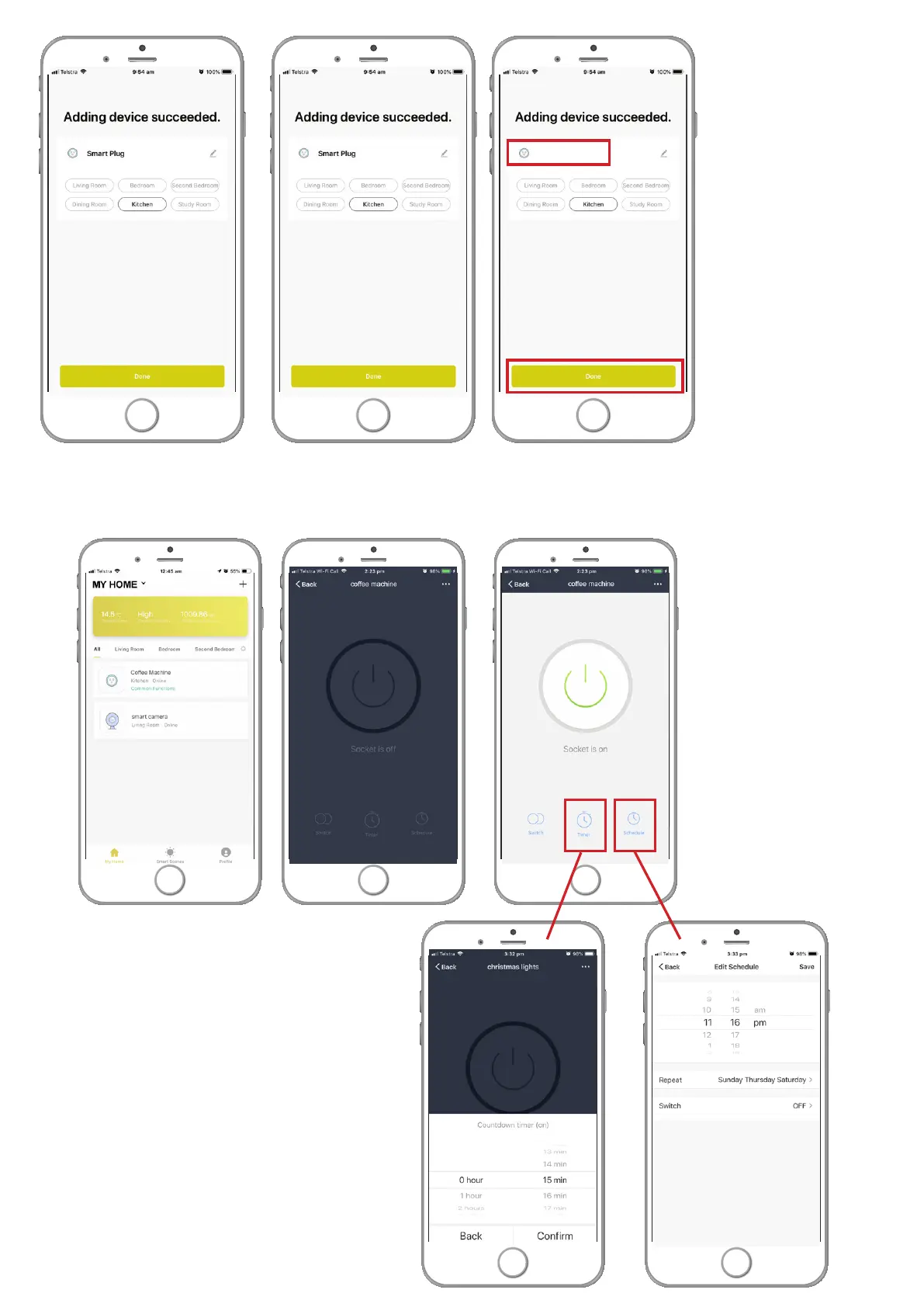
Coffee machine
Once connection is successful then you can change the name of your plug to one you choose then select
the room where the plug is to be located. To continue press ‘done’.
Congratulations you’ve connected the your
Smart Wifi Plug. Now you can connect your
appliance and control it from anywhere by
the BrilliantSmart App or voice control.
Turn your smart devices such as coffee
machine, lights, radio, or your christmas tree
lights, on or off or create schedules or put
them on a timer.


 To Previous Page