EasyManua.ls Logo

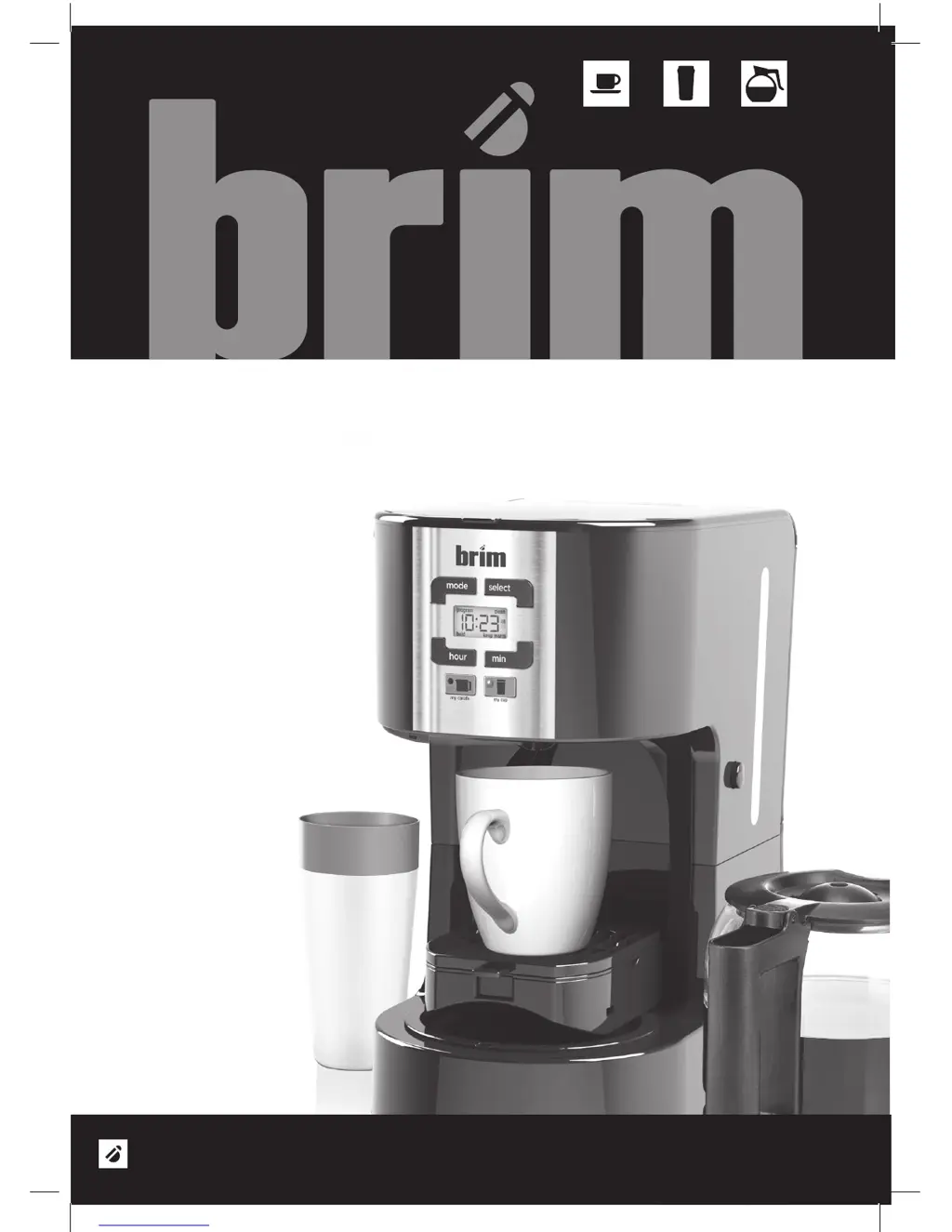
brim SIZE-WISE SW20 - User Manual

brim SIZE-WISE SW20
52 pages
Print Icon
To Next Page IconTo Next Page
Loading...
®
BRIM
Instruction manual / Manuel d’instructions / Manual de instrucciones
www.brim.com
SIZE-WISE PROGRAMMABLE COFFEE STATION
CAFETIÈRE PROGRAMMABLE SIZE-WISE
CAFETERA PROGRAMABLE SIZE-WISE
SW20
SIZE-WISE COFFEE STATION SW20
FILL IT TO THE RIM WITH

Table of Contents

Questions and Answers

  • C
    Christopher MooreAug 1, 2025
    Why does my brim SIZE-WISE SW20 beep 3 times and not start?
    • M
      Ms. Sierra Stewart DVMAug 1, 2025
      If your brim Coffee Maker beeps 3 short times and doesn't start brewing, it's likely due to an incorrect tray configuration. To resolve this: * **For Carafe Brewing:** Ensure the drip tray cover is inside the tray assembly and closed in the vertical position. Then, fill the water and coffee as instructed and press 'my carafe'. * **For Cup Brewing:** Release the tray using the side button, place your mug on the drip tray cover, add water and coffee, and press 'my cup'. * **For Tumbler Brewing:** Release the tray, remove the drip tray cover, return the tray to the vertical position, place the drip tray cover on the heating plate, and press 'my cup'.
  • K
    Kimberly GardnerAug 10, 2025
    What to do if my brim SIZE-WISE SW20 beeps 3 long times and won't brew?
    • B
      Brittney BeckAug 10, 2025
      If your brim Coffee Maker beeps 3 long times and doesn't start brewing, it's probably because the tray was accidentally opened during 'my carafe' mode. To fix this, put the tray back in the vertical position, and then replace the carafe under the check valve.
  • A
    abigailvangAug 21, 2025
    How to fix brim Coffee Maker when it beeps 2 times and doesn't brew?
    • J
      Jamie JohnsonAug 21, 2025
      If the brim Coffee Maker beeps twice and doesn't start brewing, it means that you're trying to use the CLEAN cycle in 'my cup' mode. To resolve this, use the CLEAN mode by pressing 'my carafe'.

Summary

Important Safeguards

Additional Important Safeguards

Product Specifications and Safety

Plug, Cord, and Power

Notes on the plug, cord, and electrical circuit.

Plasticizer Warning

Caution regarding plasticizer migration onto furniture.

Carafe Safety Precautions

Essential safety rules for handling the glass carafe.

Coffee Yield and Filter

Information on coffee yield and the permanent filter.

Getting to Know Your BRIM Size-Wise Coffee Station SW20

Control Panel and Initial Setup

Control Panel Overview

Explanation of the buttons and display on the coffee maker's control panel.

Before Using for the First Time

Initial setup and cleaning procedures for the coffee maker before first use.

Brewing Coffee Instructions

Brewing a 12-Cup Carafe

Instructions for preparing the machine to brew a full carafe of coffee.

Brewing a Single Cup or Mug

Instructions for preparing the machine to brew a single cup of coffee.

Advanced Brewing Options

Brewing a Travel Tumbler;Mug

Steps to brew coffee directly into a travel tumbler or mug.

Brew Strength Selection

How to choose between regular and bold coffee brew strength.

Brewing Features and Settings

Automatic Start and Pause;Serve

Setting automatic start times and using the pause and serve feature.

Auto Shut Off and Clock Setting

Information on auto shut off and how to set the clock.

Indicator Lights and Second Carafe

Explanation of indicator lights and brewing a second carafe.

Coffee Quality and Maintenance

Tips for Great Tasting Coffee

Tips to enhance coffee flavor and quality.

Auto Clean Cycle

Instructions for activating the automatic cleaning cycle.

Descaling Procedure

Procedure for removing mineral buildup from the coffee maker.

Storage and Troubleshooting

Storing the Coffee Maker

Guidance on properly storing the coffee maker.

Scale Guideline for Single Servings

Recommended coffee and water ratios for single servings.

Troubleshooting Common Issues

Solutions for common problems encountered with the coffee maker.

Warranty Information and Service

Warranty Exclusions

Conditions and circumstances not covered by the product warranty.

Obtaining Warranty Service

Steps to follow to get assistance under the warranty.

brim SIZE-WISE SW20 Specifications

General IconGeneral
Brandbrim
ModelSIZE-WISE SW20
CategoryCoffee Maker
LanguageEnglish

Related product manuals