TIME LAPSE CAMERATLC 300 User manual26
Expo Mode
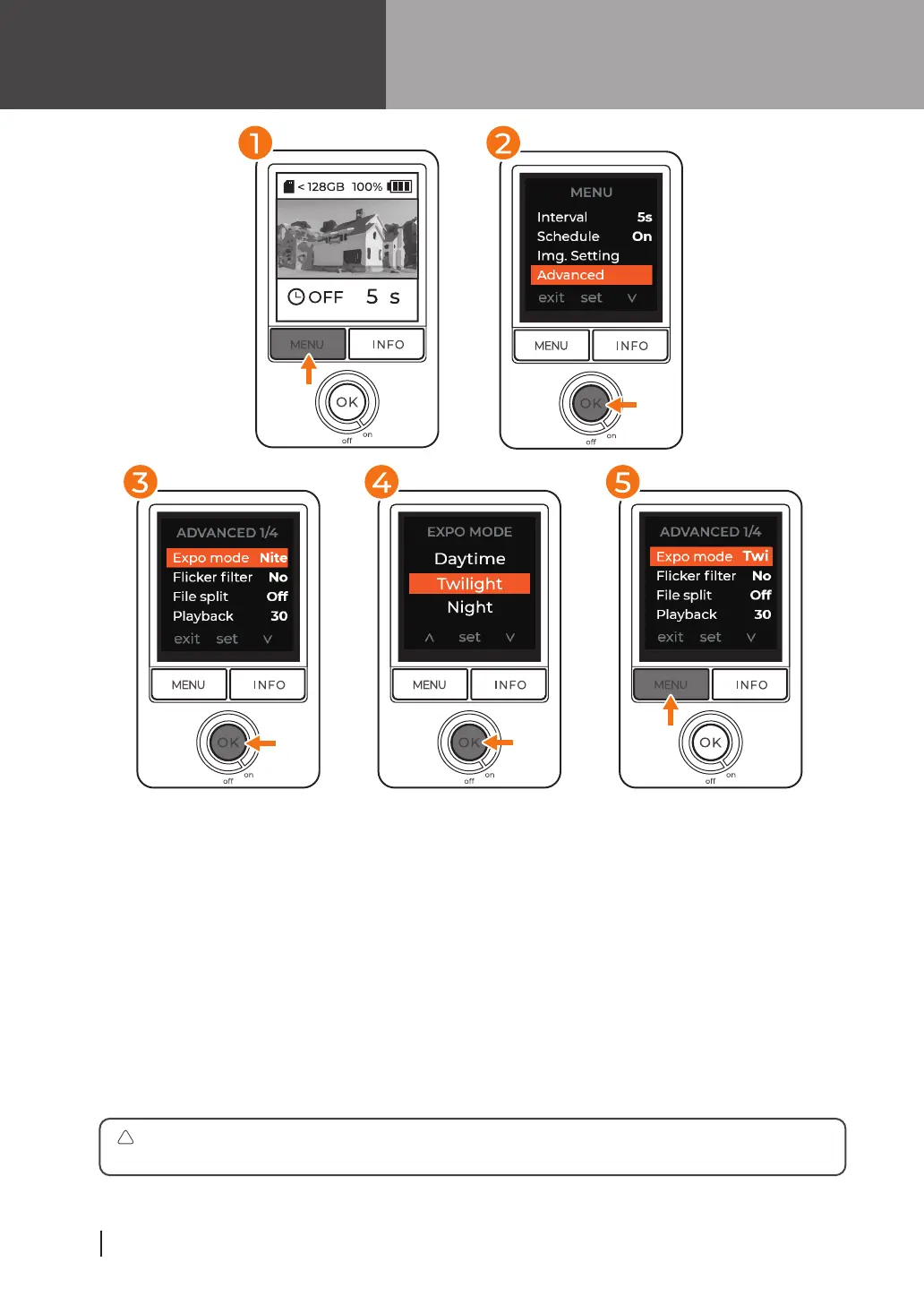
At preview screen, press “MENU” to access settings.
Press “INFO” to go down to Advanced and press “OK” to enter
Advanced settings.
Select “EXPO MODE” and press “OK” to enter exposure settings.
Select suitable exposure for your filming environment and press
“OK” to save. After saving you will return to Advanced menu
settings.
Press “MENU” button to return to main menu and once more to
return to preview screen.
1
2
3
4
5
We suggest "Night mode" under varying lighting conditions, including
recordings through the day to night and areas with frequent light fluctuations.
!



 To Next Page