MODE
PROG
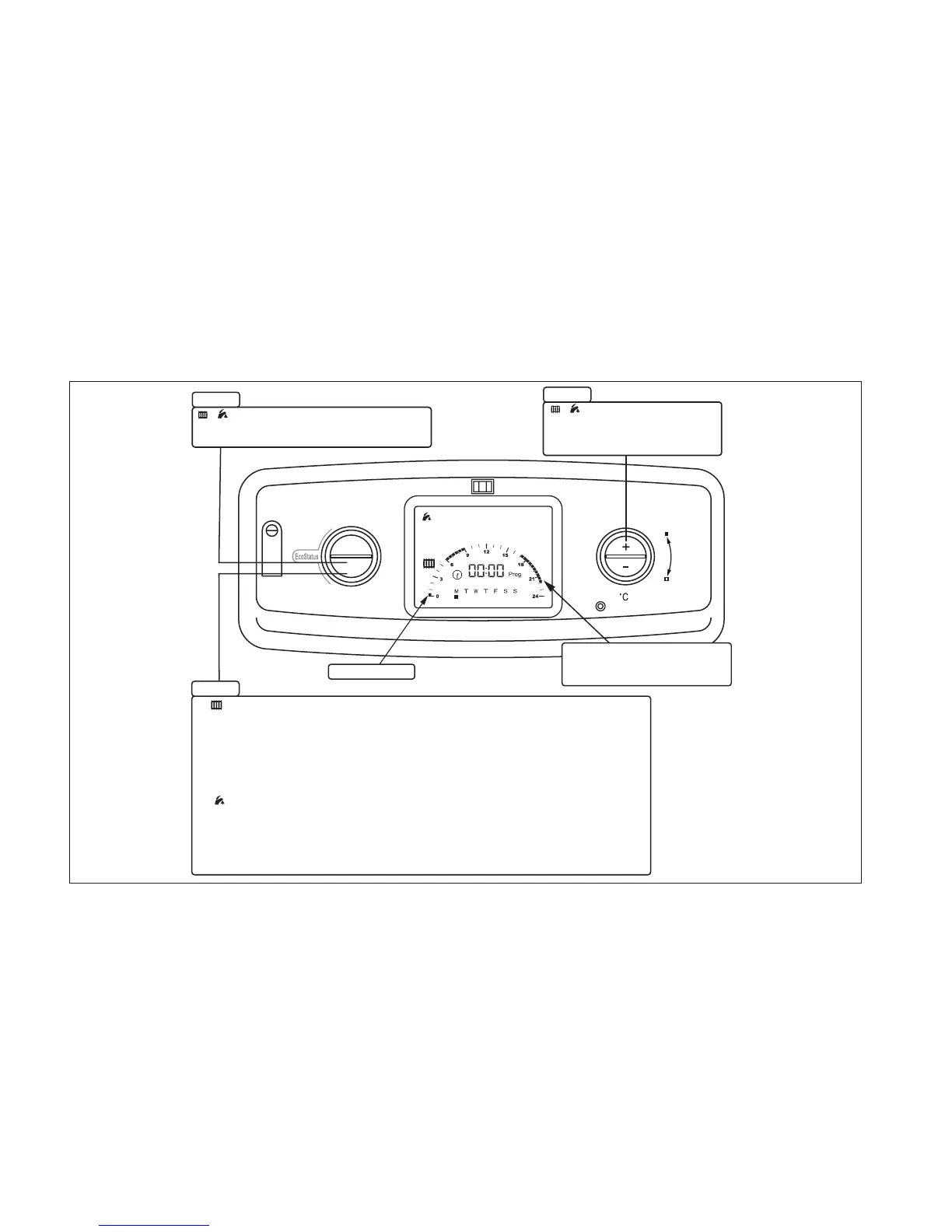
Flashing cursor.
Press "+" to add a time segment
or "-" to remove a time segment
and advance to next time segment.
STEP 1
"Running Time"
Indicated by solid squares.
Square represents 30 minutes.
CH and DHW
Press the "PROG" button once to view Mondays
factory default central heating running times.
When validating the timed
intervals you can hold the
"PROG" button for 5 seconds
and the times will be duplicated
to the next day, hold the button
continuously and the times will be
copied to all days.
Press "PROG" to validate the time intervals.
The days will automatically change, repeat the
process or refer to the "Copy Function".
After the 7th day the "Domestic Hot Water" time
intervals will be displayed, follow the same
process steps 1 to 3.
Press "PROG" to validate the time intervals.
The days will automatically change, repeat the process
or refer to the "Copy Function".
After the 7th day the process will exit to show the
boiler status.
2
STEP 2
CH and DHW
STEP 3
CENTRAL HEATING1
COPY FUNCTION
DOMESTIC HOT WATER


 To Next Page