20
Help
2
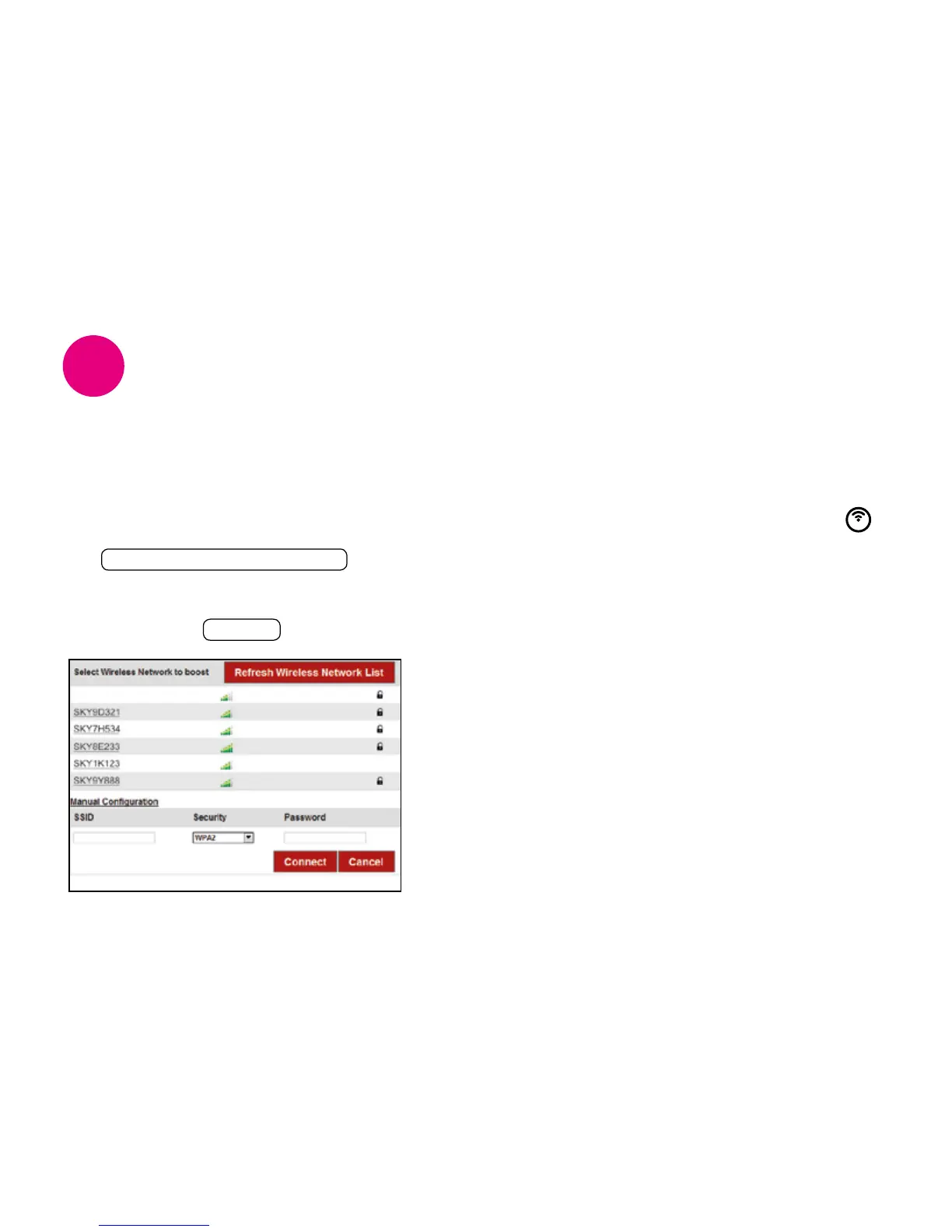
If you still cannot see your Wireless
Network name on the list after clicking on
the Refresh Wireless Network List button,
you can enter your wireless network details
manually in the SSID and Password fields
then click on the Connect button.
In approximately 30 seconds the wireless icon
will go solid white on your Wireless Booster.
Experiencing difficulties?
Your Wireless Booster is now connected to
your Broadband Router. You now need to move
your Wireless Booster to the best location
in your home, go to the 3 Position section on
page 14 and follow the instructions.
Still not working?
If you’ve followed all the steps in this guide and
still experiencing difficulties, you can go onliine
sky.com/boosterhelp for additional help. Or call
Sky Technical Support on 08442 410 515.
Connect your Wireless Booster manually


 To Next Page