1/2" Hole
for Pigtail
Mounting hole
distances are
adjustable, use
the provided
mounting screws
Brivo Door Station Installation Guide
Included:
• Door Station, Hood, Wedge, and Wall Plate
• (2) Anchors
• (2) Mounting Screws
• (1) Security Screw
• (1) L shaped screwdriver
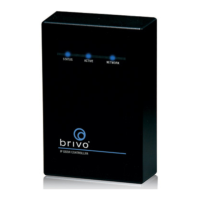
This guide is for installing the B-BDS-B - Brivo Door Station
Tools needed to install a Brivo Door Station:
• Phillips screwdriver
• 6-32 Tap (if installing on metal)
• 1” (25mm), 1/8” drill bits
• T8 Security Torx bit (optional for increased tamper protection)
Mounting Holes for
Wall Plate or Wedge
1
4
5
2 3
When mounting to drywall, use the wall
plate or wedge as a guide for drilling
the mounting screw holes and the wiring
bundle access, or mount directly to
single gang junction box.
Optional:
Mount the
Brivo Door
Station hood
Wire the cable to
the Brivo Door Station
Place the hood
over the Brivo
Door Station.
Note: Be sure to thread the wires through the wall plate
and optional wedge prior to completing wiring.
Cut the ends of any unused wires to prevent shorting.
Power over Ethernet (POE): Power & Ethernet
• RG45 Female Ethernet connector
OSDP / RS485:
• RS485A (RXD+ or D0) - Orange/White
• RS485B (RXD- or D1) - Green/White
• GND - Black
Note: There are two black ground wires. Connect both.
(Optional) Doorbell Output (Max 30VDC / 1A):
• Normally Open Contact (2 wires) - Orange/Red
• Common Contact (2 wires) - Brown/Red
• Normally Closed Contact (2 wires) - Blue/Yellow
Note: To support 1A wire, both sets of wires need to be wired.
1
PUB-Brivo Door Station Installation Guide_v1.5
Optional: Mount Wedge
Install Wall Plate
If mounting at American with Disabilities Act
(ADA) height, using the supplied wedge will
provide an improved facial recognition
experience at the Brivo Door Station.
Once the holes are prepared, screw in
the wall plate to the wall/junction box
or to the wedge.
© 2024 Brivo Systems LLC. All rights reserved.
Hardware and firmware requirements for the Brivo Door Station
The Brivo Door Station is supported on the following Brivo hardware: ACS100, ACS300, ACS6000-MBE, ACS6100-DB and ACS-SDC.
For the Brivo Door Station to function properly, ensure the Brivo control panel is running the latest version of firmware (6.2.5 or
later). If needed. please contact Brivo Technical Support at 866-274-8648 or email customercare@brivo.com for assistance.


 To Next Page
 Need help?
 General