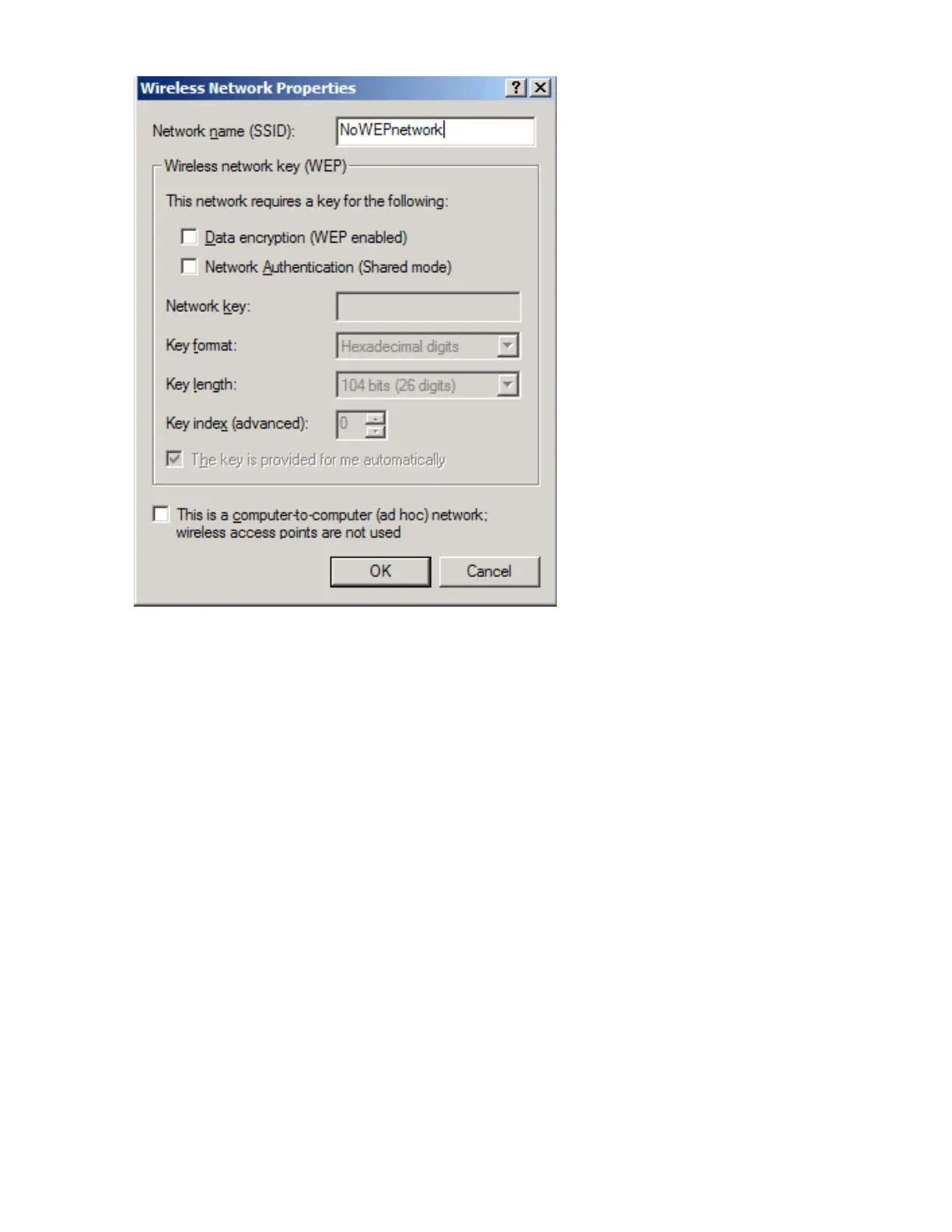
Using the BCM94306MP Wireless Utility: Broadcom BCM94306MP Mini PCI Card User's Guide
To view or modify the wireless network properties (Windows XP environment)
1. Open the BCM94306MP wireless utility.
a. From the desktop, click the Start button and click Control Panel. If you are looking at the Category View of Control
Panel, click Switch to Classic View.
b. Double-click the Network Connections icon.
c. Right-click Broadcom BCM94306MP Internal 802.11b Mini PCI Card in the LAN or High-Speed Internet area and
click Properties.
2. If it is not already on top, click the Wireless Networks tab.
3. Select the network from the Preferred networks list and click Properties.
file:///P|/pc/My%20Documents/Working/User%20Guides/94306MP/utility.htm (8 of 23) [11/22/2002 2:16:11 PM]



 To Next Page