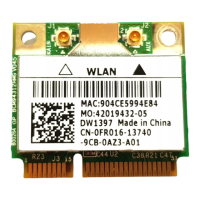
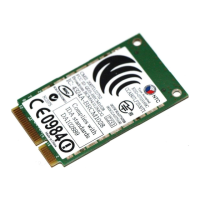
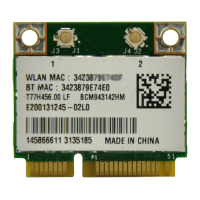
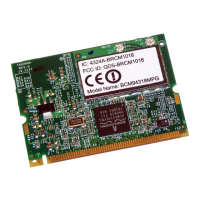
EasyManua.ls Logo

Broadcom BCM943162ZP - User Manual

Broadcom BCM943162ZP
15 pages
Print Icon
To Next Page IconTo Next Page
Loading...
Introduction: Broadcom BCM943162ZP PCI-E Mini Card User's Guide
Before you begin
Things you should know
BCM943162ZP network
Before you begin
Obtain the following information from your network administrator (if you are a home user, obtain this information from the person that
installed your wireless access point):
Network names (SSID) of the specific wireless networks that you want to connect to.
WEP (Wired Equivalent Privacy) key information (if any) for the networks you want to connect to.
For Microsoft® Windows® networking, your customer name and workgroup name.
For your network account, your user name and password.
Your IP address (if not using a DHCP server)
Things you should know
When you start your computer, your Broadcom BCM943162ZP PCI-E Mini card detects certain wireless networks that are
within range. Before you can connect to these and other wireless networks, you must configure a profile for each network using the
information you obtained from your network administrator.
WEP is a security protocol for wireless local area networks (defined in the IEEE 802.11g standard) that encrypts data sent over radio
waves. The use of the WEP key is optional and can be enabled or disabled. If the network you are connecting to has enabled WEP, you
must also enable WEP in the network profile and set the WEP key to match the WEP key used by the network. Otherwise, you cannot
connect to the network.
Broadcom BCM943162ZP network
The Broadcom BCM943162ZP solution allows you to make a wireless connection to a network, as illustrated below.
Question and Answer IconNeed help?

Do you have a question about the Broadcom BCM943162ZP and is the answer not in the manual?

Summary

Overview of the Broadcom Wireless Utility

Utility Components

Utility Icon Operations

Wireless Networks Tab Functionality

Link Status Information

Statistics Tab Details

Site Monitor Features

Basic Site Monitor

Displays information about wireless routers/APs and ad hoc networks within range.

Advanced Site Monitor

Allows saving activity logs to a file.

Diagnostics Tests

Overview

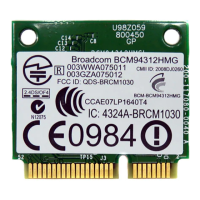
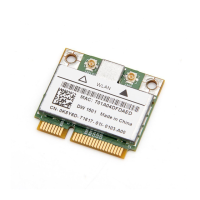
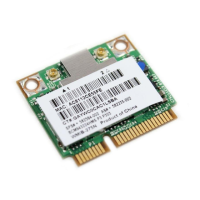
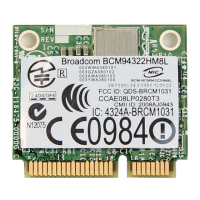
The Broadcom BCM943162ZP PCI-E Mini Card is a wireless network adapter designed to enable wireless connectivity for computers. It supports the IEEE 802.11g standard and incorporates Broadcom's AirForce™ 54g™ and Intensi-fi™ technologies, suggesting enhanced performance and range for wireless connections.

Function Description:

The primary function of the BCM943162ZP is to allow a computer to connect to wireless local area networks (WLANs). This includes connecting to wireless routers/access points (APs) in an infrastructure mode or to other computers in an ad hoc network. The device facilitates the transmission and reception of data over radio waves, enabling internet access, file sharing, and other network-dependent activities without physical cables. It is managed through the Broadcom Wireless Utility, which provides a comprehensive interface for network configuration, monitoring, and diagnostics.

Important Technical Specifications:

While specific detailed technical specifications like frequency bands, maximum data rates for all supported standards (beyond 802.11g), or power consumption are not explicitly listed in the provided excerpts, several key aspects are highlighted:

  • Wireless Standards: Supports IEEE 802.11g, and mentions IEEE 802.11a, IEEE 802.11b, and IEEE 802.11n in the context of AP Band symbols, indicating potential compatibility or support for these standards.
  • Security Protocol: Supports WEP (Wired Equivalent Privacy) for encrypting data. The utility also mentions EAP-FAST authentication method, auto-provisioning, and A-ID group changes, indicating support for more advanced security features.
  • Network Types: Capable of connecting to both infrastructure networks (via APs/routers) and ad hoc networks.
  • Speed Indication: For IEEE 802.11n connections, speed is indicated by an MCS value.
  • Radio Stream Information: Provided only for IEEE 802.11n connections.
  • Utility Information: The utility provides details such as Connection status, Encryption type (e.g., TKIP), Network name (SSID), Connection type (e.g., Infrastructure), Speed (e.g., 54.0 Mbps), Channel (e.g., 6 (2.4 Ghz)), Streams (e.g., [1|2|3|4]x[1|2|3|4]), AP MAC address, Gateway IP address, Client MAC address, Client IP address, Client IPv6 address, and Capabilities.
  • Signal Strength: The utility icon and Link Status tab provide visual indicators and numerical values (dBm) for signal strength and noise.

Usage Features:

The Broadcom Wireless Utility offers a rich set of features for managing wireless connections:
  • Network Management: Users can manage wireless networks, create, edit, and remove network connection profiles. Profiles can be saved as WPN files and imported.
  • Connection Control: Connect to available networks, disable/enable the radio, and choose the type of network to access (basic or advanced).
  • Network Monitoring:
    • Link Status Tab: Displays real-time information about network status, signal strength, and noise levels. It includes a graphical representation of signal and noise history.
    • Statistics Tab: Shows current and accumulated statistics such as packets sent/received, sent/received packets lost, total packets lost (%), and connection time.
    • Site Monitor Tab: Lists broadcasting wireless routers/APs and ad hoc networks within range. It provides details like network name, security, 802.11 standard, speed, channel, and signal strength. It also allows searching for nonbroadcasting networks and viewing detailed information elements for listed APs/networks.
  • Security Management:
    • Configure WEP keys for networks.
    • Manually add or delete trusted servers for EAP-FAST authentication.
    • Enable manual acceptance/rejection of auto-provisioning and A-ID group changes.
    • Import or remove EAP-FAST Protected Access Credentials (PACs), which are password-protected.
  • Profile Management: Lock or unlock preferred network connection profiles, and change the order of profiles in the preferred network connections list.
  • Utility Interface: The utility can be accessed via a system tray icon (which can be hidden/shown) or through the Control Panel. Right-clicking the utility icon provides quick access to common tasks like opening the user guide, viewing utility information, disabling/enabling the radio, connecting to networks, and viewing connection status or a log of events.
  • Wireless Network Wizard: Simplifies connecting to basic networks or creating ad hoc networks.
  • Advanced Network Connection Settings: Provides tools for connecting to advanced networks.

Maintenance Features:

  • Diagnostics Tab: Allows users to run various tests to determine if the wireless network adapter is functioning properly. These tests include Control Registers, SPROM Format Validation, Memory, Interrupt, DMA and Loopback, and LED.
  • Event Logging: The utility logs wireless network events, such as initiation of user session, connecting/disconnecting from a network, authentication mode used, driver status, supplicant status, new wireless device availability, initializing wireless state machine, and whether the utility is managing the adapter. This log can be viewed to troubleshoot issues.
  • Technical Support: In case of diagnostic test failures, users are directed to the Broadcom website for technical support.
  • Regulatory Statements: The manual refers to the Broadcom OEM installation guide for regulatory statements, indicating compliance information is available elsewhere.

Broadcom BCM943162ZP Specifications

General IconGeneral
BrandBroadcom
ModelBCM943162ZP
CategoryPCI Card
LanguageEnglish

Related product manuals