
 Need help?
Do you have a question about the BroadLink S1 SmartONE Kit and is the answer not in the manual?
Instructions for downloading and installing the e-Control mobile application.
Plugging in the device and connecting it to Wi-Fi.
Process for adding new sensors using QR codes or manual serial number entry.
Steps to resolve device configuration errors and reset the device.
 General
| Brand | BroadLink |
|---|---|
| Model | S1 SmartONE Kit |
| Category | Security System |
| Product Type | Smart Home Security Kit |
| Connectivity | Wi-Fi |
| Sensors | Door/Window Sensor, Motion Sensor |
| Protocols supported | Wi-Fi |
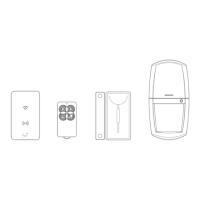
| Components | Door/Window Sensors, Motion Sensor, Remote Control |
| Power Source | AC Power, Battery |
| Power Supply | DC 5V |
| Operating Humidity | 5-95%RH |

 To Next Page