7
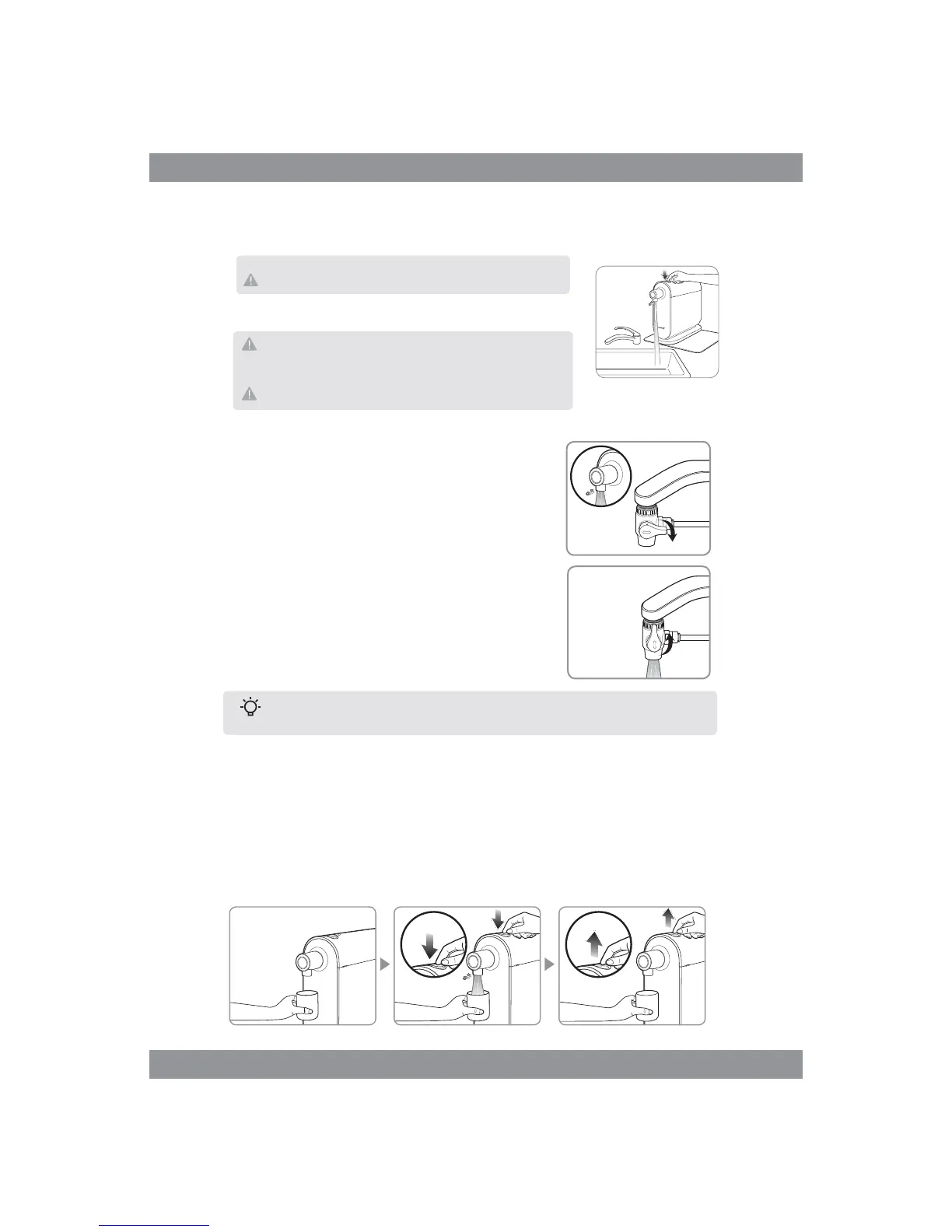
1. Place a cup under the water spout.
2. Press the button on top of the unit until a “CLICK” sound is heard. Once clicked, it will provide continuous
water flow.
3. To stop the water flow, press the button again to return it to the initial position
1.Turn the valve on the faucet diverter to the side to route
the flow of water to the filter unit then turn on cold water.
2. Turn the valve up to use faucet as usual.
“CLICK”
For the under-counter T-Valve connection type, water should be diverted permanently to
the unit once you turn the valve to the “on” position.
Tips
HOW TO USE
For Diverter Valve Type
To Drink the Filtered Water
4. After turning on water supply, check all connections for any leaks. Wait 5 minutes and check once more
for any signs of leaking prior to proceeding to next step.
5. Press the button on top of the unit to dispense water (into your sink) and let it
run for 10 minutes to flush the system and activate the filters.
The initial flushed water contains carbon powder and air from the filter.
During flushing of filter, sound will be heard as carbon powder and air
is flushed out. This is not a malfunction, please use the product as usual
after flushing the filter.
Make sure to flush water continuously for at least 10 minutes before initial use.
Failure to properly install or check for leaks may cause damage to your
property and Brondell will not be responsible for any damages.


 To Next Page