42
9.5 USER MODE
Below is a description of the control normal operation according to the available
functions.
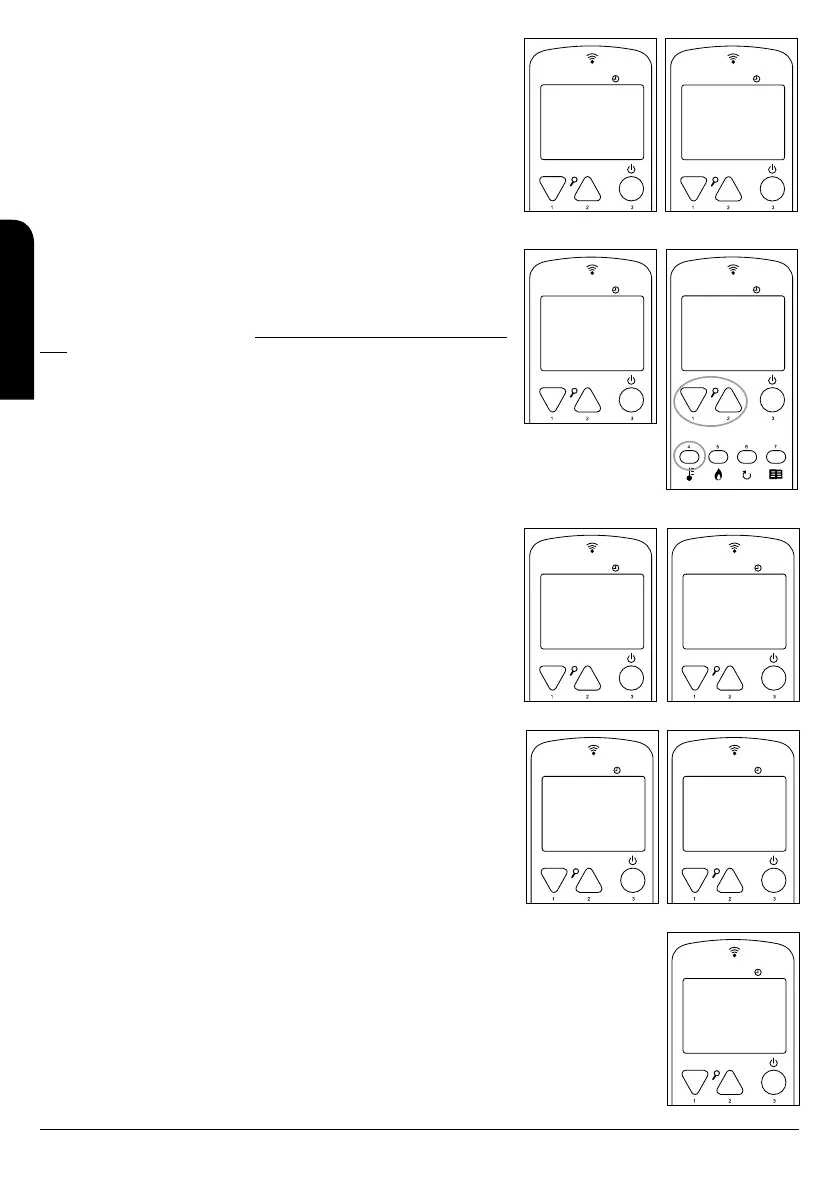
Before the ignition of the stove or insert, the control shows the following screen (see
drawing D85): It is showed up the “off” state, the room temperature, the established
working power and the current hour.
9.5.1 STOVE OR INSERT IGNITION
In order to ignite the stove, press button no. 3 during a few seconds. The control will
show the ignition state as follows (see drawing D86):
The maximum length of the ignition phase is 20 minutes. After this time, if there is no
visible flame, the stove will automatically go into the alarm state and the control will
show the message “Ignition Failure.”
9.5.2 STOVE OR INSERT IN OPERATION
The hot air fan will start when the smoke temperature reaches a minimum. Auxiliary fans
(in case of models of channelling stoves Alicia Extra, Clara Extra, Cleo Extra and Olivia
Extra) will start only if enabled.
In this moment, the stove or insert is correctly burning. After this, our stove will be
working normally (see drawing D87).
The control shows the ambient temperature in the room.
9.5.3 CHANGE OF THE SET-POINT ROOM TEMPERATURE
In order to modify the setting room temperature, please press button 4 and then buttons
1 and 2 to increase or decrease it respectively (see drawing D88).
9.5.4 ROOM TEMPERATURE REACHES TEMPERATURE FIXED BY THE USER
When the ambient temperature (of the room) reaches the value set by the user or the
smoke temperature reaches a too high value, the stove or insert will automatically
operate at one lower power, it means that modulates in power. See drawing D89.
Remember that if it is activated “stand-by mode”, when the ambient temperature
reaches the value set by the user plus a differential (2ºC) the stove or insert will be
automatically turned off and will be on hold until the ambient temperature falls to
the set temperature minus a differential (2ºC). After that, the stove or insert restarts
automatically.
9.5.5 BURNER CLEANING
While the stove or insert is working normally, some automatic cleanings of the burner
take place in several minutes intervals. This process consists of cleaning the rest of
pellet remaining in the burner in order to guarantee a proper working of the stove or
insert (see drawing D90) and it takes several seconds.
9.5.6 TURNING OFF THE STOVE OR INSERT
In order to turn off the stove or insert, press button no.3 during a few seconds. Once it
has been turned off, it will start the final cleaning stage, in which the pellet supply stops
and the smoke extractor will be working to the maximum speed. This stage would not
finish until the stove or insert has reached the appropriate cooling temperature (see
drawing D91).
9.5.7 STOVE OR INSERT TURNED OFF
When the stove is turned off, the control shows the following information (see drawing
D92):
9.5.8 RE-IGNITION OF THE STOVE OR INSERT
When the stove or insert is turned off it would not be possible to restart it up until some safety time goes by and the
stove or insert is cold enough. If you try to start-up the stove, the display will show up the following information (see
drawing D93):
10 MESSAGES OF INFORMATION OR WARNING
Before your stove or insert enters into an alarm state, a series of messages will appear on the screen of the display,
which do not block the operation of the stove, simply these messages are activated as information or self-protection
on the stove:
MENU
14:24
21º C P-2
D86
MENU
14:24
21º C P-2
D85
OFF
IGNITION
MENU
15:18
21º C P-3
D87
MENU
21º C
SET TEMPER
D88
WORKING ROOM
MENU
16:40
27º C P-2
D89
MENU
16:40
22º C P-2
D90
WORKING
MODULATE
BURNER
CLEANING
MENU
21:10
23º C P-3
D91
MENU
21:28
23º C P-3
D92
FINAL
CLEANING
OFF
MENU
D93
STAND-BY
COOL
INSTALLATION, OPERATING AND SERVICING INSTRUCTIONS RADIOFREQUENCY SERIES
EN



 To Next Page