START
SELECT
B
A
Y
X
START
SELECT
B
A
Y
X
START
SELECT
B
A
Y
X
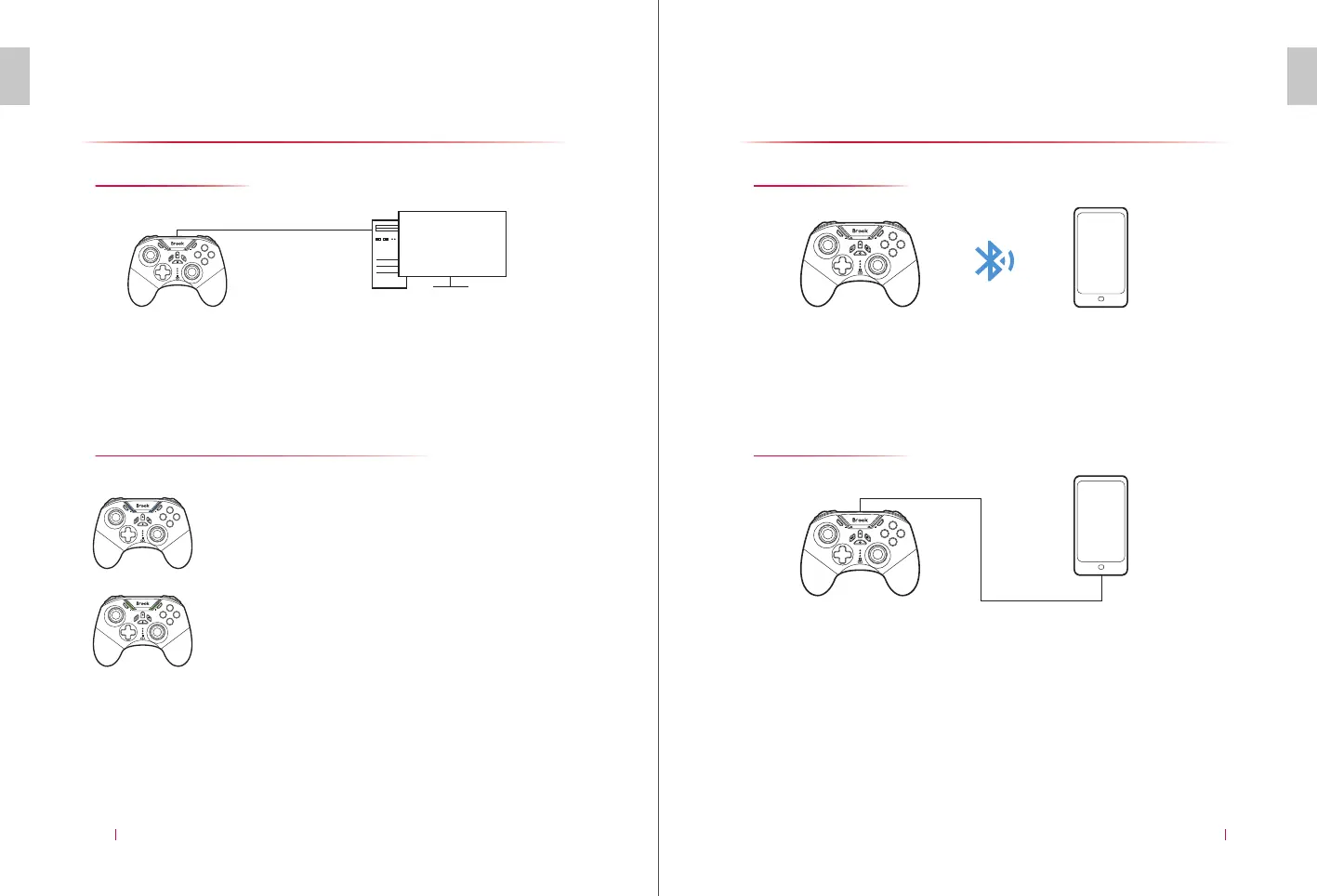
Connect to Windows 7/8/10...
E N
With Cable
Connect to Computer Bluetooth
CONNECT TO WINDOWS 7/8/10...
07
E N
CONNECT TO ANDROID DEVICE
08
Connect to the computer with the cable in the accessories. The
indicator flashes when the controller is not fully charged. It will be
always on after the controller is fully charged. Once connected to
the computer, RGB default light is in blue.
Open the Bluetooth pairing interface, and search for the Bluetooth
name of the corresponding mode. Click the corresponding device,
LED lights up after the device is successfully paired.
Note: Please select the pairing mode according to the compatible mode of the game. If the
connection cannot be used normally, please reset and select a new connection mode for pairing.
Press “A” + “HOME” on the controller to
enter the pairing mode. RGB is in purple
while LED flashes.
X-input:
Press “B” + “HOME” on the controller to
enter the pairing mode. RGB is in green
while LED flashes quickly.
D-input:
Bluetooth Name: Xbox Wireless controller
Bluetooth Name: Gamepad
* To use it on Android devices, you need the games to support the
controller mode or to have a corresponding platform.
Win
1.
There are some compatibility problems in certain computer versions.
START
SELECT
B
A
Y
X
Connect to Android Device
Connect Bluetooth
Connect with Cable
Press and hold “B” and “HOME” buttons of the controller for 2
seconds. LED 1 of the controller flashes quickly to enter the Bluetooth
search interface. LED 1 will be on after paired successfully while RGB
is in green.
Connect to Android device directly with the cable in the accesso-
ries. The LED light flashes when the controller is not fully charged.
It will be always on after the controller is fully charged.
START
SELECT
B
A
Y
X


 To Next Page
 Loading...