E N
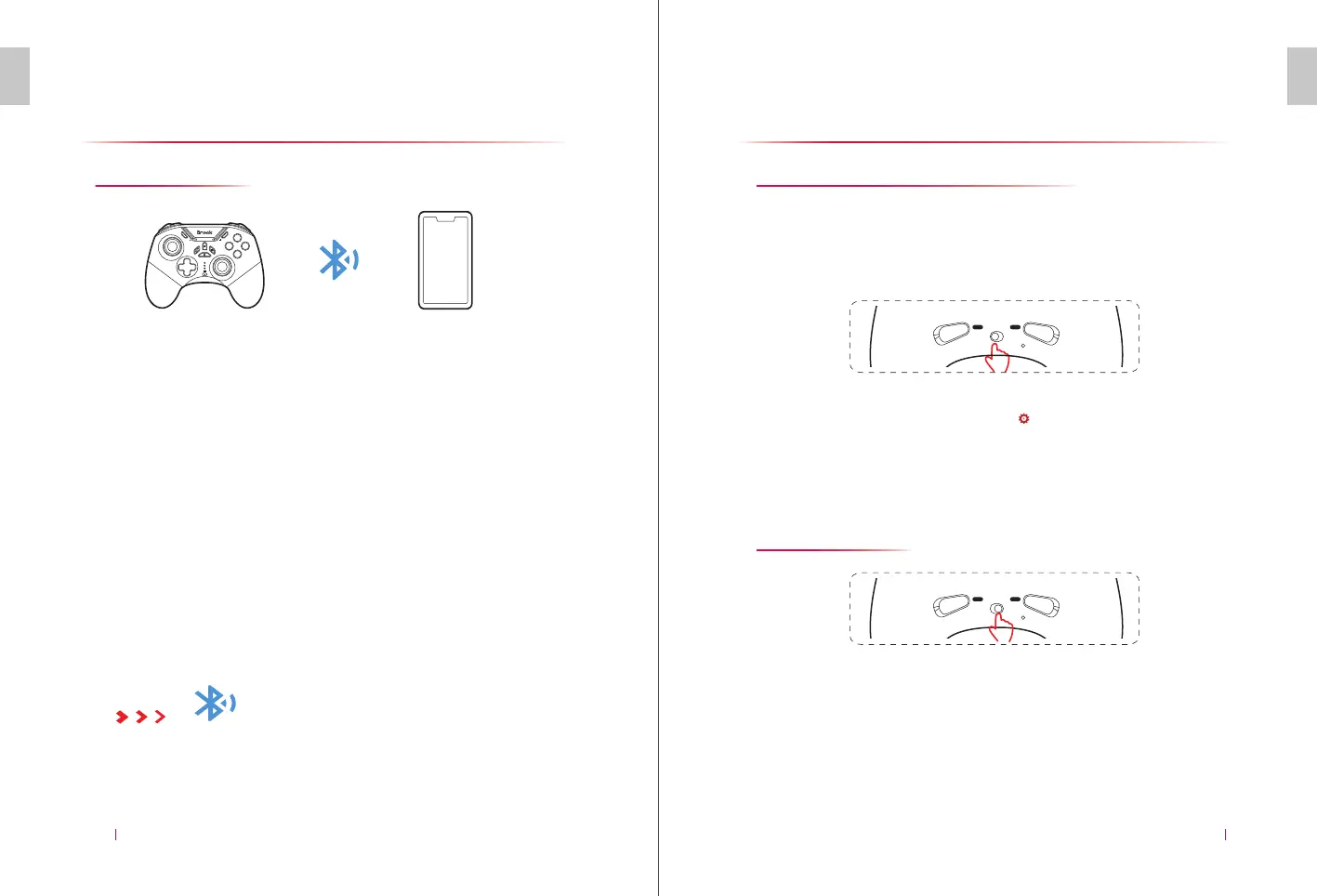
CONNECT TO APPLE DEVICE
09
E N
ADVANCED FEATURES
10
START
SELECT
B
A
Y
X
Connect to Apple Device
Connect Bluetooth
Apple devices support Bluetooth connection only.
(iOS, Mac OS) Bluetooth interface search, LED 2 will be on once
connected.
Press and hold “A” and “HOME” buttons of the controller for 2
seconds. LED 2 of the controller flashes quickly to enter the
Bluetooth search interface for Apple device (iOS and Mac OS). LED 2
will be on after paired successfully while RGB is in purple.
* In this mode, you can only play the games with the gamepad operation permission opened
by the developer. Other incompatibilities don’t result from the product quality. Please
check whether the game supports the controller operation before using it.
Advanced Features
Action Mode (Self-defined Marco key)
Shoot Mode
Back keys AR/AL support to record and save up to 25 game actions for
30 seconds (recording and saving can be done with left/right joysticks,
sL, sR, L, R, zL, zR, Up, Down, Left, Right, A, B, X and Y). It also supports to
save with several buttons operated at the same time.
Press and hold “AL” or “AR” button and press the " " button again. Under the current mode
of the controller, LED starts to flash, indicating that AL or AR button has entered the
programming status. After pressing the first button, the operation track within 30 seconds is
recorded and saved. After recording, press AL or AR button again to save.
Flip the back button switch of the controller to left to select Marco mode.1.
2.
After entering Shoot mode, press and hold AR button. The right joystick enters Precise mode.
The range of the right joystick is controlled at 1/2 while releasing AR button will return to
normal. While pressing and holding AL button, the left joystick enters Precise mode. The range
of the left joystick is controlled at 1/2 while releasing AL button will return to normal.
Flip the back button switch of the controller to right to select Shoot mode.
1.
2.
Note: When the recording exceeds 30 seconds, it will be cut off at 30 seconds (The recording will be also stopped
if more than 25 buttons are used). Only the content within the recording limit will be saved.
AR
MACRO SHOOT
AL
AR
MACRO SHOOT
AL


 To Next Page
 Loading...