10
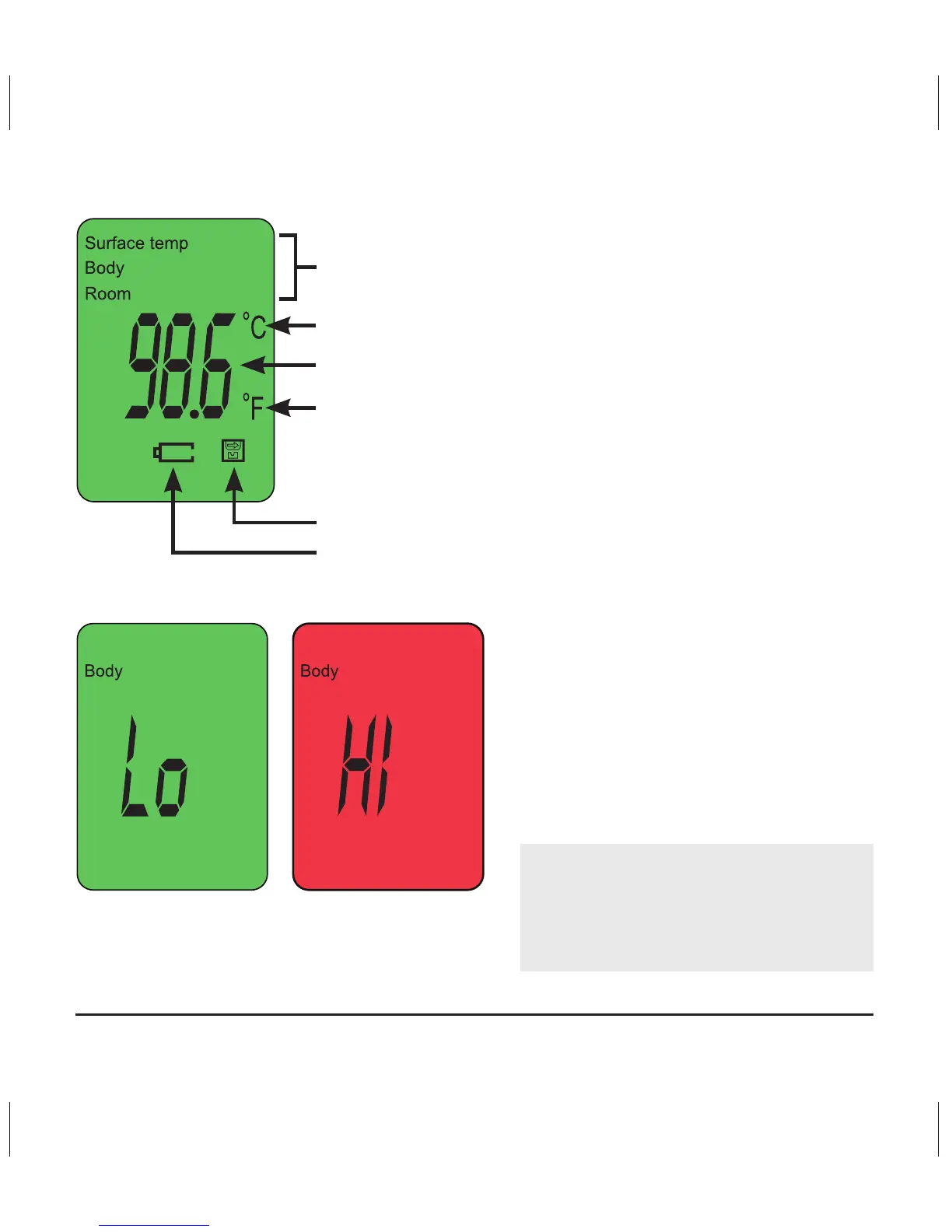
Temperature is out of range
(too low or too high)
Display background color:
• Green:
Between 36.3°C to 37.3°C
(97.3°F and 99.1°F)
• Orange:
Between 37.4°C to 37.9°C
(99.3°F and 100.2°F )
• Red:
Greater than 38°C (100.4°F)
NOTE: The thermometer is set
to “Body” mode at the factory.
Low Battery
Memory
Celsius
Temperature
Mode
Fahrenheit
The color change of the
display is to alert the user of
a potential increase in body
temperature. Temperature
reported on the display
should be used for treatment
decisions.


 To Next Page