12 13
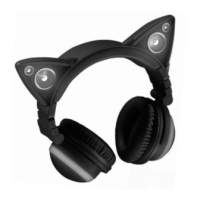
CHARGING THE CAT EAR HEADPHONES
1. Use the included MICRO USB CHARGING CABLE to
charge the headphones with a USB adapter (5V, 1A or
above) (not included). The headphones will be fully
charged in approximately 2.5 hours.
2. The RED CHARGING LED INDICATOR slowly flashes
while the headphones are charging and is solid when the
headphones are fully charged.
3. When the headphones' battery is low, the RED
CHARGING LED INDICATOR will rapidly flash.
USING THE CAT EAR HEADPHONES
• Insert the 3.5MM to 3.5MM HEADPHONE CORD into
the HEADPHONE CORD INPUT with the VOLUME +
BUTTON on the CONTROL PANEL facing up and the
other end into an audio device.
• Insert the MICROPHONE into the MICROPHONE INPUT.
Note: An adapter may be needed depending on your
game system.
• To conserve battery life, turn off LEDs and SPEAKERS
when not in use.











 To Next Page