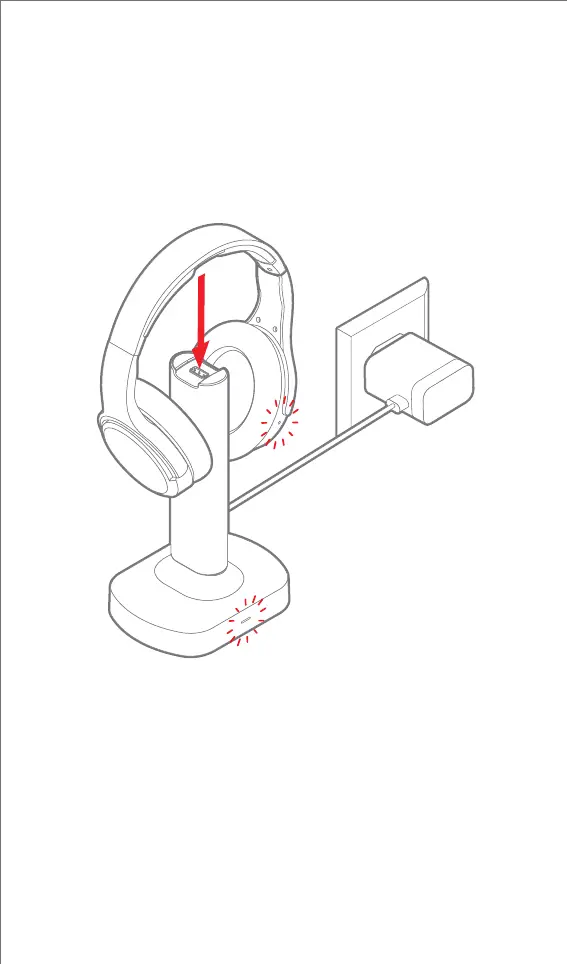
2. Place the headphones on the Charging Base, the headphones
and Charging Base LED indicators will light red. Once the
headphones are fully charged, both the headphones and the
Charging Base’s LED indicators will turn off.
Note:
• Loss of sound quality is an indication that your headphones
require charging
• The headphones will automatically power off after 5 minutes of
inactivity
5


 To Next Page