Before You Begin...
READ THIS MANUAL CAREFULLY AND SAVE FOR FUTURE REFERENCE
To ensure safe and proper use, read all safety information before using the device. Only use
with manufacturer-approved batteries, chargers, accessories, and supplies.
• THIS DEVICE IS NOT A TOY, do NOT allow children or pets to use or play with this device.
• Do not disassemble, modify, or repair the device.
• Do not expose the device to extreme temperatures (heat or cold), open flames, humid, or
wet conditions.
• Do not submerge in water.
• Low power may cause poor Bluetooth connection or sound distortion.
• Do not overcharge battery.
• If using with a USB adapter, make sure the adapter is not damaged.
• Do not allow the USB port or the connectors of the supplied USB cable to be exposed to
dust, or water, or come into contact with any conductive materials such as liquids, metallic
powders, etc.
• The earbuds & charging case contain a built-in battery and should not be disposed of with
regular household waste. Please consult the local authorities on the correct way to dispose
of these devices.
• Always be aware of your surroundings when using the earbuds
• Never use earbuds while driving a vehicle, riding a bicycle, or operating anything that
requires your undivided attention
In the Box
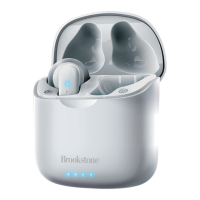
• BSTWS23 - True Wireless Earbuds (L & R)
• Charging Case (x1)
• USB Type-C Charging Cable (x1)
• Instruction Manual (x1)
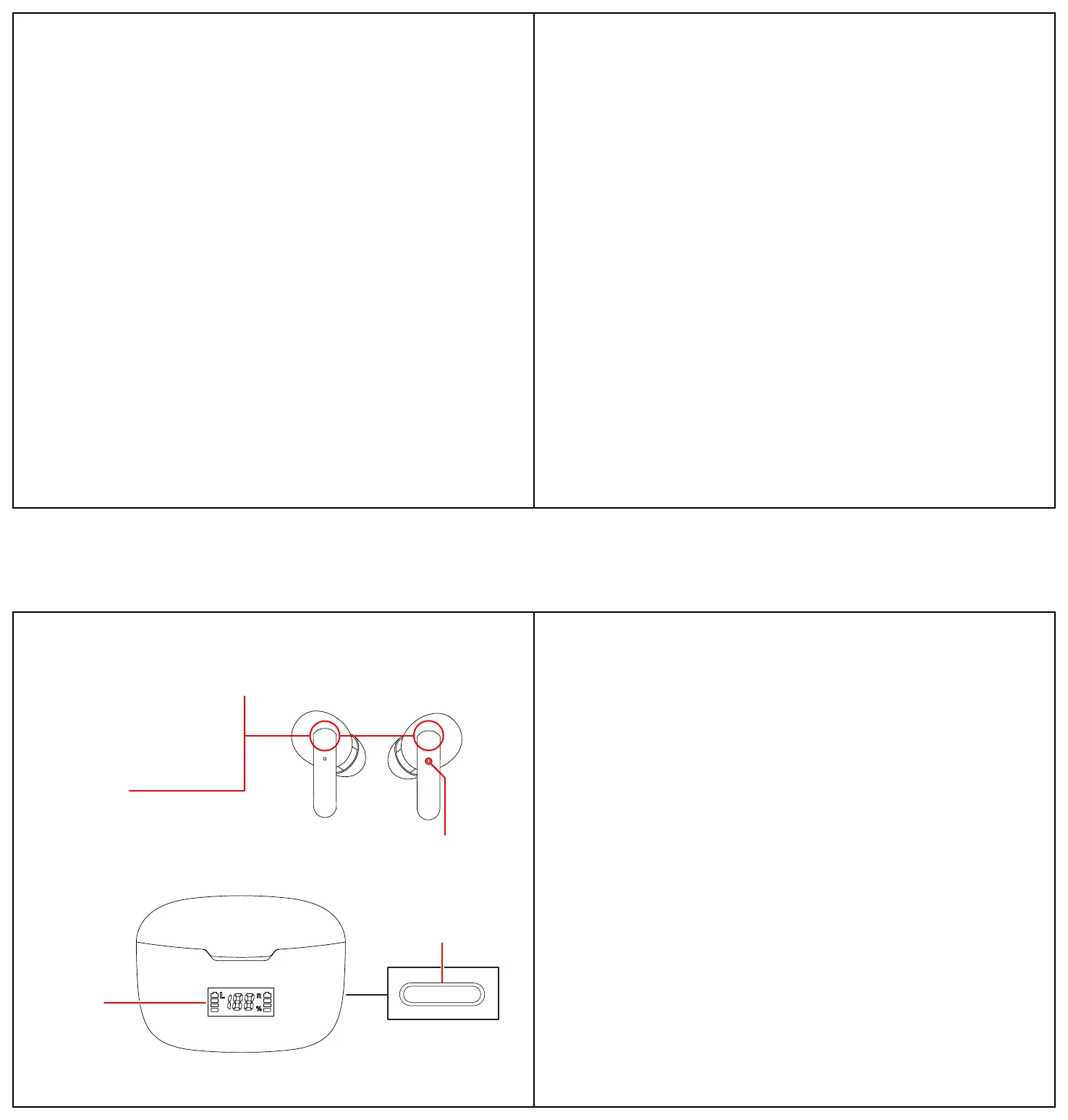
Location of Controls
USB-C
Charging Port
[Multi] Button
• Power On/Off
• Pause/Resume Playback
• Skip to Next Track
• Answer/End Phone Calls
• Reject Phone Calls
Earbuds
Activating Siri® or Voice Assistant
If you have Siri® or another voice assistant on your paired device, you can activate it using the
controls on the earbuds or the controls on your device.
• 2x Touch either earbud’s [Multi] button to activate voice assistant.
• 2x Touch either earbud’s [Multi] button to close voice assistant.
Storage & Maintenance
When not using the earbuds, it is recommended that they are stored away in the charging case
and placed in a safe, dry location, away from sources of water, light, heat, and dust. They are
best stored in an airtight box or bag (not included).
If the earbuds or case is dirty, wipe it down with a clean microfiber cloth. Do not clean with
water or any sort of cleaning liquid or detergent.
Specifications
TWS Earbuds
Bluetooth Ver.: 5.0
Bluetooth Range: 33 ft
Talk & Play Time: 3 hrs
Single Earbud Battery Capacity: 40 mAh
Charging Case
Charging Case Battery Capacity: 220 mAh
Case & Earbuds Charge Time: 1.5 hours
Input Type: USB-C
LED
Indicator
Charging
Case
(Bottom of Case)
LCD Display
Screen
Warranty Information
90-Day Limited Warranty
Territory: United States/Canada
LIMITED WARRANTY TO ORIGINAL CONSUMER
This product as supplied and distributed new by an authorized retailer is warranted by Southern
Telecom, Inc. to the original consumer purchaser against defects in materials and workman-
ship (“Warranty”) as follows:
To obtain warranty service:
• Visit our customer support portal: www.customersupport123.com
• Select the brand and model of your device
• Select “Service Request” and fill out the form to begin your inquiry
• Exchanges require dated proof of purchase from an authorized retailer
Your product will be repaired or replaced, at our option, for the same or similar model of equal
value if examination by the service center determines this product is defective. Products
received damaged as a result of shipping will require you to file a claim with the carrier.
Warranty service not provided
This warranty does not cover damage resulting from accident, misuse, abuse, improper
installation or operation, lack of reasonable care, unauthorized modification including software
modifications such as the installation of custom firmware. This warranty is voided in the event
any unauthorized person opens, alters or repairs this product. All products being returned to
the authorized service center for repair must be suitably packaged.
3
9
10
4



 To Next Page
 Loading...