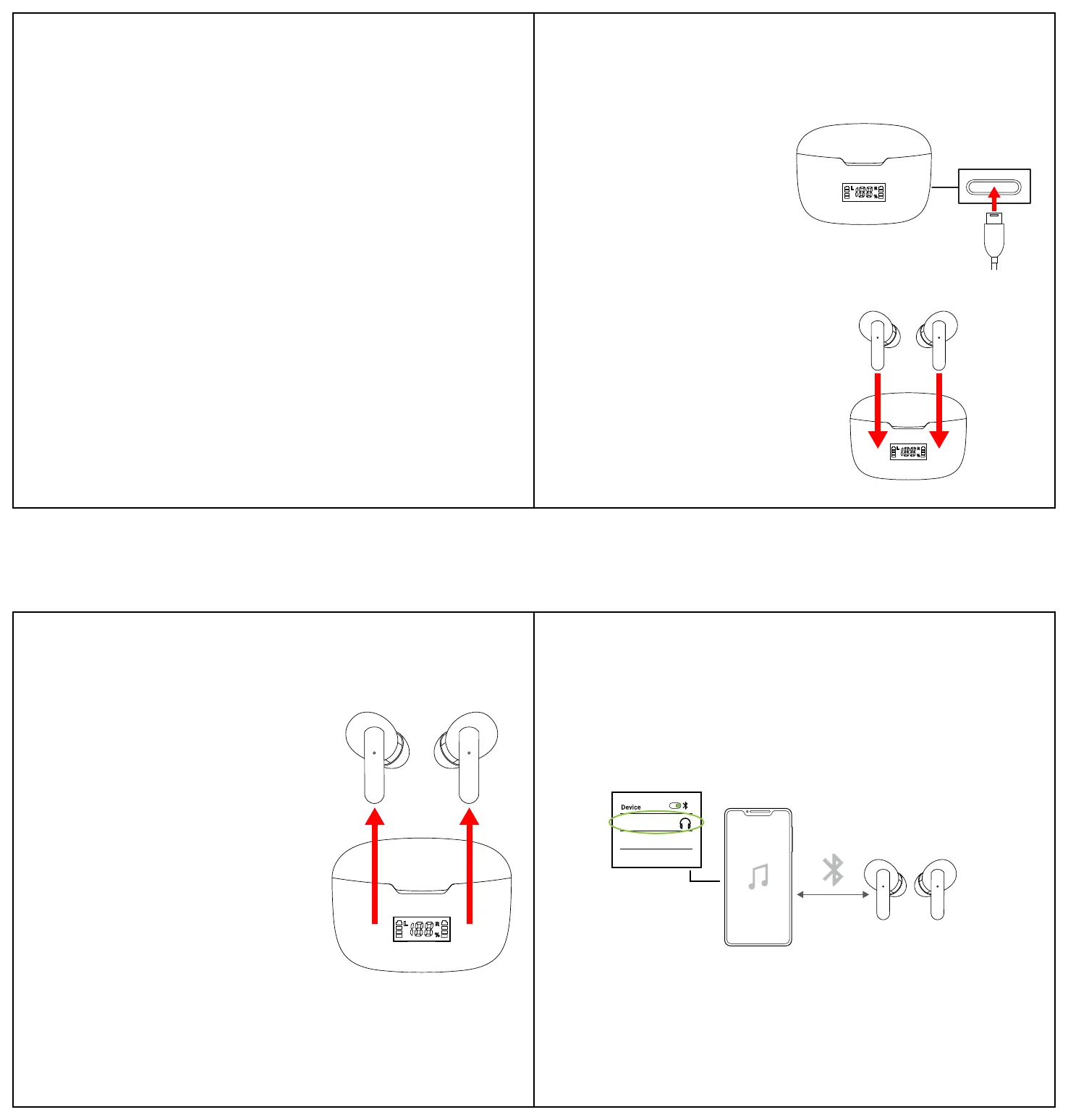
Charging the Case
Insert the small connector of the included USB-C charging cable into the charging port on the
back of the charging case. Insert the larger connector into the USB port on a computer, or into
a 5V/1A USB adapter (not included) and plug into an electrical outlet.
The LCD display screen will display the
case’s charging progress while the case is
charging, and when it is finished charging.
The LCD display screen will also indicate the
case’s current battery level. Please recharge
the case when the battery is low.
Charging the Earbuds
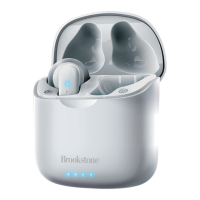
Use the included charging case to protect and charge your earbuds.
To charge the earbuds, open the case. Place the
earbuds into the correct earbud charging ports. The
earbuds will automatically power OFF and begin
charging.
The LCD display screen will display the earbuds’
charging progress, and turn OFF when the earbuds
are fully charged.
Powering On/Off
Charge the case and earbuds fully before using.
• Remove the earbuds from the case to automatically power them ON. The earbuds’ LED
indicators will flash RED and BLUE. When both
earbuds are powered ON at the same time they will
automatically pair to each other after a few seconds,
and a tone will be heard indicating that they are
connected.
• Insert the earbuds into the case to automatically
power them OFF. The earbuds’ LED indicators will
quickly flash RED when they are powering OFF.
• The earbuds can also be powered ON and OFF by
touching + holding the earbuds’ [Multi] buttons for
2s. (power ON) or 4s. (power OFF).
Note: The earbuds will automatically power OFF if
they are not paired to a Bluetooth device after 3
minutes, or if the paired device is out of Bluetooth
range (10 m / 30 ft) for3 minutes.
Note: Either earbud can be used independently.
Bluetooth Pairing
1. Power the earbuds ON at the same time. The LED indicators on both earbuds will flash RED
and BLUE. After a few seconds, a tone should be heard, indicating that the earbuds have
connected to each other. If the earbuds don’t connect to each other, see the
troubleshooting section at the bottom of this page.
2. Open your device’s Bluetooth menu and select BSTWS23 when it appears.
3. Another tone will be heard, indicating that the earbuds are successfully connected to your
device. The LED indicators on both earbuds will turn OFF.
Playing Music
Make sure the earbuds are charged and properly connected to your Bluetooth-enabled device.
Playback, volume and phone functions can be controlled with your paired device or with the
earbuds, as indicated below:
Controlling Playback
• Touch the [Multi] button on either earbud to pause and resume audio playback.
• 3x Touch the left earbud to skip to the previous track.
• 3x Touch the right earbud to skip to the next track.
Adjusting the Volume
• Touch + hold the left earbud for 2 seconds to decrease volume.
• Touch + hold the right earbud for 2 seconds to increase volume.
Phone Calls
• Touch the [Multi] button on either earbud to answer an incoming phone call. Touch again to
end the phone call.
• 2x Touch the [Multi] button on either earbud for 1 second to reject an incoming phone call.
BSTWS23
Trouble Pairing the Earbuds to Each Other? Try these steps:
1. Place both earbuds back into the case to power them OFF.
2. You may need to go into your device’s Bluetooth settings and manually “Forget” one or both
of the earbuds, and turn your device’s Bluetooth OFF while the earbuds pair to each other.
3. Turn your device’s Bluetooth back ON if necessary, and follow the Bluetooth Pairing steps
above again.
(Bottom of Case)
5
7
8
6


 To Previous Page
 Loading...