EasyManua.ls Logo

Brookstone Indoor/Outdoor Digital Thermometer - User Manual

Brookstone Indoor/Outdoor Digital Thermometer
16 pages
Print Icon
To Next Page IconTo Next Page
Loading...
740170_INS_Indoor/Outdoor Digital Thermometer
Size:5Wx4.75H_Output:100%_Prints:1/1,Blk
Indoor/Outdoor
Digital Thermometer
TEMPERATURE AND
HUMIDITY AT A GLANCE
Question and Answer IconNeed help?

Do you have a question about the Brookstone Indoor/Outdoor Digital Thermometer and is the answer not in the manual?

Summary

Battery Precautions and Safety

General Device Cautions

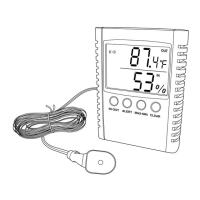
Location of Parts and Controls (Front)

LCD Screen

The primary display showing temperature and humidity readings.

IN-OUT Button

Toggles between indoor and outdoor temperature display.

ALERT Button

Used to set and view temperature and humidity alerts.

MAX-MIN Button

Accesses recorded maximum and minimum temperature/humidity.

CLEAR Button

Resets the recorded maximum and minimum values.

Outdoor Sensor Tip and Mounting

The probe for outdoor measurement, with mounting options.

Outdoor Sensor Probe

The sensing element of the external temperature/humidity probe.

Device Features and Connections

Hanging Hole

Feature for wall mounting or hanging the device.

Device Support Stand

Enables the unit to stand upright on a flat surface.

Battery Compartment Access

Cover for accessing the battery compartment for installation.

Temperature Scale Selector (°C;°F)

Switch to select between Celsius and Fahrenheit temperature units.

Sensor Input Jack

Port for connecting the outdoor sensor wire.

Adjustment Buttons (+;-)

Buttons used for setting alerts or navigating options.

Reset Button

Restores the device to its factory default settings.

Battery Installation Procedure

Operation: Connecting the Outdoor Sensor

Outdoor Sensor Placement Guidelines

Selecting Indoor;Outdoor Temperature Display

Temperature and Humidity Alert Pre-Settings

How to Set Temperature and Humidity Alerts

Max;Min Temperature and Humidity Recording

Indoor Comfort Level Indicators

Understanding Display Icons and Symbols

Resetting the Device

Device Specifications

One Year Limited Warranty

Summary

Battery Precautions and Safety

General Device Cautions

Location of Parts and Controls (Front)

LCD Screen

The primary display showing temperature and humidity readings.

IN-OUT Button

Toggles between indoor and outdoor temperature display.

ALERT Button

Used to set and view temperature and humidity alerts.

MAX-MIN Button

Accesses recorded maximum and minimum temperature/humidity.

CLEAR Button

Resets the recorded maximum and minimum values.

Outdoor Sensor Tip and Mounting

The probe for outdoor measurement, with mounting options.

Outdoor Sensor Probe

The sensing element of the external temperature/humidity probe.

Device Features and Connections

Hanging Hole

Feature for wall mounting or hanging the device.

Device Support Stand

Enables the unit to stand upright on a flat surface.

Battery Compartment Access

Cover for accessing the battery compartment for installation.

Temperature Scale Selector (°C;°F)

Switch to select between Celsius and Fahrenheit temperature units.

Sensor Input Jack

Port for connecting the outdoor sensor wire.

Adjustment Buttons (+;-)

Buttons used for setting alerts or navigating options.

Reset Button

Restores the device to its factory default settings.

Battery Installation Procedure

Operation: Connecting the Outdoor Sensor

Outdoor Sensor Placement Guidelines

Selecting Indoor;Outdoor Temperature Display

Temperature and Humidity Alert Pre-Settings

How to Set Temperature and Humidity Alerts

Max;Min Temperature and Humidity Recording

Indoor Comfort Level Indicators

Understanding Display Icons and Symbols

Resetting the Device

Device Specifications

One Year Limited Warranty

Brookstone Indoor/Outdoor Digital Thermometer Specifications

General IconGeneral
BrandBrookstone
ModelIndoor/Outdoor Digital Thermometer
CategoryThermometer
LanguageEnglish

Related product manuals