EasyManua.ls Logo

Brookstone Always Perfect - User Manual

Brookstone Always Perfect
11 pages
Print Icon
To Next Page IconTo Next Page
Loading...
798333_INS_Chef's Fork
Size:5Wx4.75H_Output:100%_Prints:1/1,Blk
Always Perfect
®
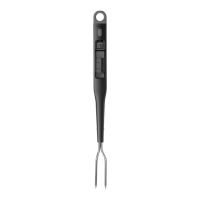
Chef’s Fork
GRILL TO PERFECTION...EVERY TIME
You’ll never
have to guess
at medium
rare again.
Question and Answer IconNeed help?

Do you have a question about the Brookstone Always Perfect and is the answer not in the manual?

Summary

Battery Precautions

Location of Parts and Controls

Chefs Fork Operation

Inserting the Batteries

Steps for installing batteries into the device.

Using the Chefs Fork

Instructions for operating the chef's fork to measure food temperature.

Viewing Temperature Units

Instructions on how to switch between Celsius and Fahrenheit.

Resetting the Unit

Procedure to reset the unit if it is not functioning correctly.

Care and Maintenance

One (1) Year Limited Warranty

Summary

Battery Precautions

Location of Parts and Controls

Chefs Fork Operation

Inserting the Batteries

Steps for installing batteries into the device.

Using the Chefs Fork

Instructions for operating the chef's fork to measure food temperature.

Viewing Temperature Units

Instructions on how to switch between Celsius and Fahrenheit.

Resetting the Unit

Procedure to reset the unit if it is not functioning correctly.

Care and Maintenance

One (1) Year Limited Warranty

Brookstone Always Perfect Specifications

General IconGeneral
BrandBrookstone
ModelAlways Perfect
CategoryThermometer
LanguageEnglish

Related product manuals