Charging the Headphones
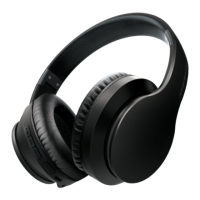
Plug the small connector of the included charging cable into the charging port on the bottom
of the headphones’ earcup. Plug the large connector into the USB port on a computer or a
compatible 5V USB adapter (not included) and plug into a wall socket.
The LED indicator on the headphones will turn RED while charging and turn BLUE when
finished charging.
Powering ON/OFF
• Press and hold the [ ] button for 3 seconds to power the headphones ON and OFF.
• When powered on, the headphones may automatically reconnect to a nearby
previously-paired device with Bluetooth enabled.
Using the Active Noise Control
Warning: Read all Safety Warnings in this manual before using the Active Noise Cancelling
feature.
The headphones’ Active Noise Control (noise cancelling) feature reduces unwanted noise
from the outside environment. You can use ANC while listening to audio, or use ANC by
itself.
• Press the [ANC Power] button to turn on Active Noise Control (noise cancellation). A voice
will be heard, and the LED indicator will light up GREEN.
• Press the [ANC Power] button again to turn ANC OFF. A voice will be heard, and the LED
indicator will turn OFF.
5










 To Next Page